How to Get Answers to Common Seller Questions
Overview
Selling on Cohart raises the same handful of questions for most new artists and galleries — what it costs, who owns the art, what you’re allowed to sell, and what happens once a sale is made — and this guide answers them from the actual product, not marketing copy.
- Who it’s for — artists, galleries, and other sellers evaluating or already using Cohart to sell original work.
- What it covers — account cost and fees, taxes, business and rights questions, what you can list, in-person sales, authentication, and what to do if your account is suspended.
- Where the answers live — the pricing page, your profile settings, Inventory, and Sales Record, each shown in the matching step below.
- What you end up with — a clear answer to each common question, plus the exact page to check for the details that apply to your account.
Before you start
- A signed-in artist or gallery account. Most of these answers reference pages inside your dashboard — Pricing is the only one that is fully public.
- Know your current plan. Several answers (processing fees, invoice limits, marketplace listing slots) depend on whether you’re on Basic, Pro, Growth, or Premier — check Manage Plan in your sidebar if you’re not sure.
Steps
1. Sign in to Cohart
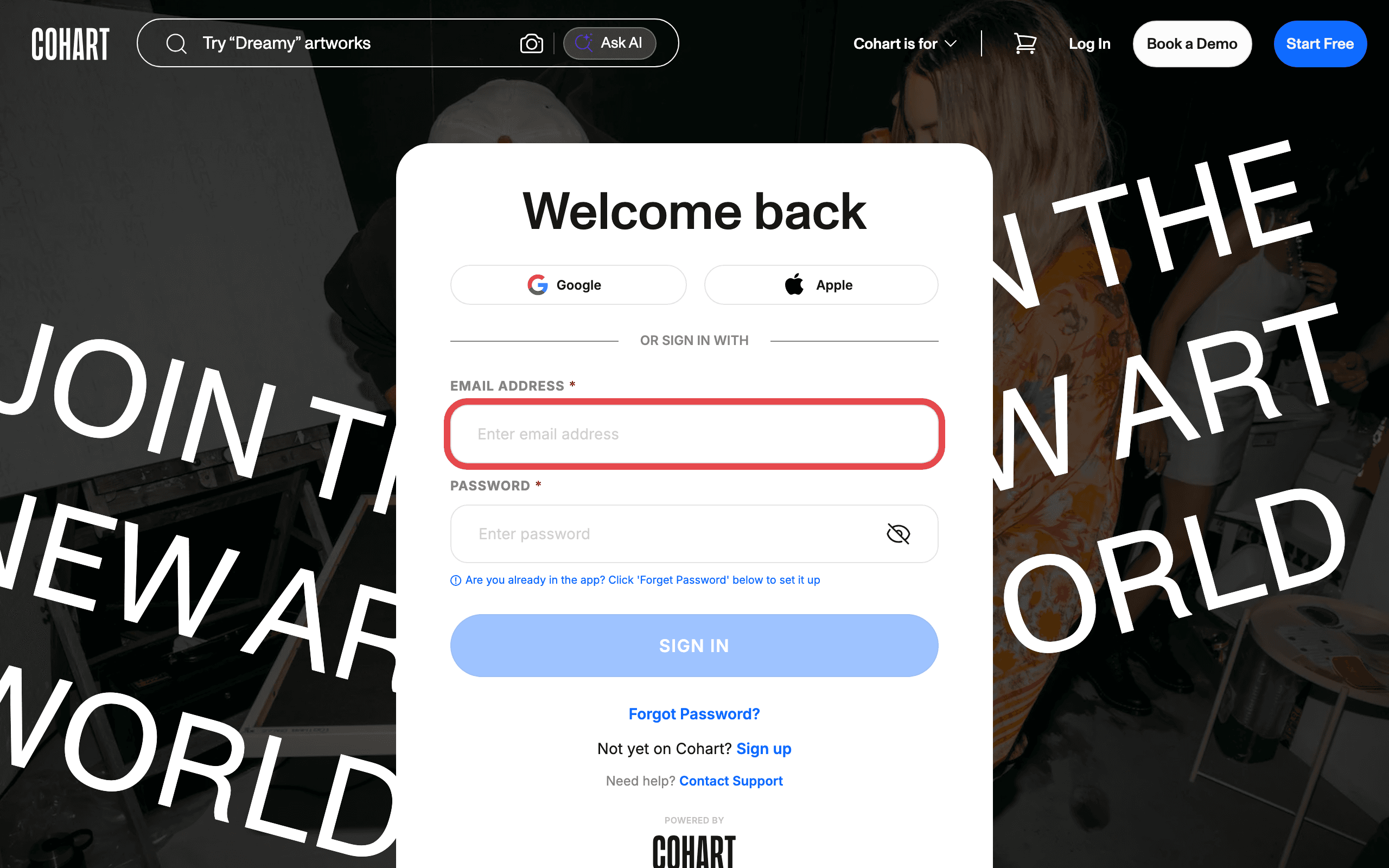
Sign in with your email address and password, or use Google or Apple.
2. Check what it costs to join and what fees apply when you sell
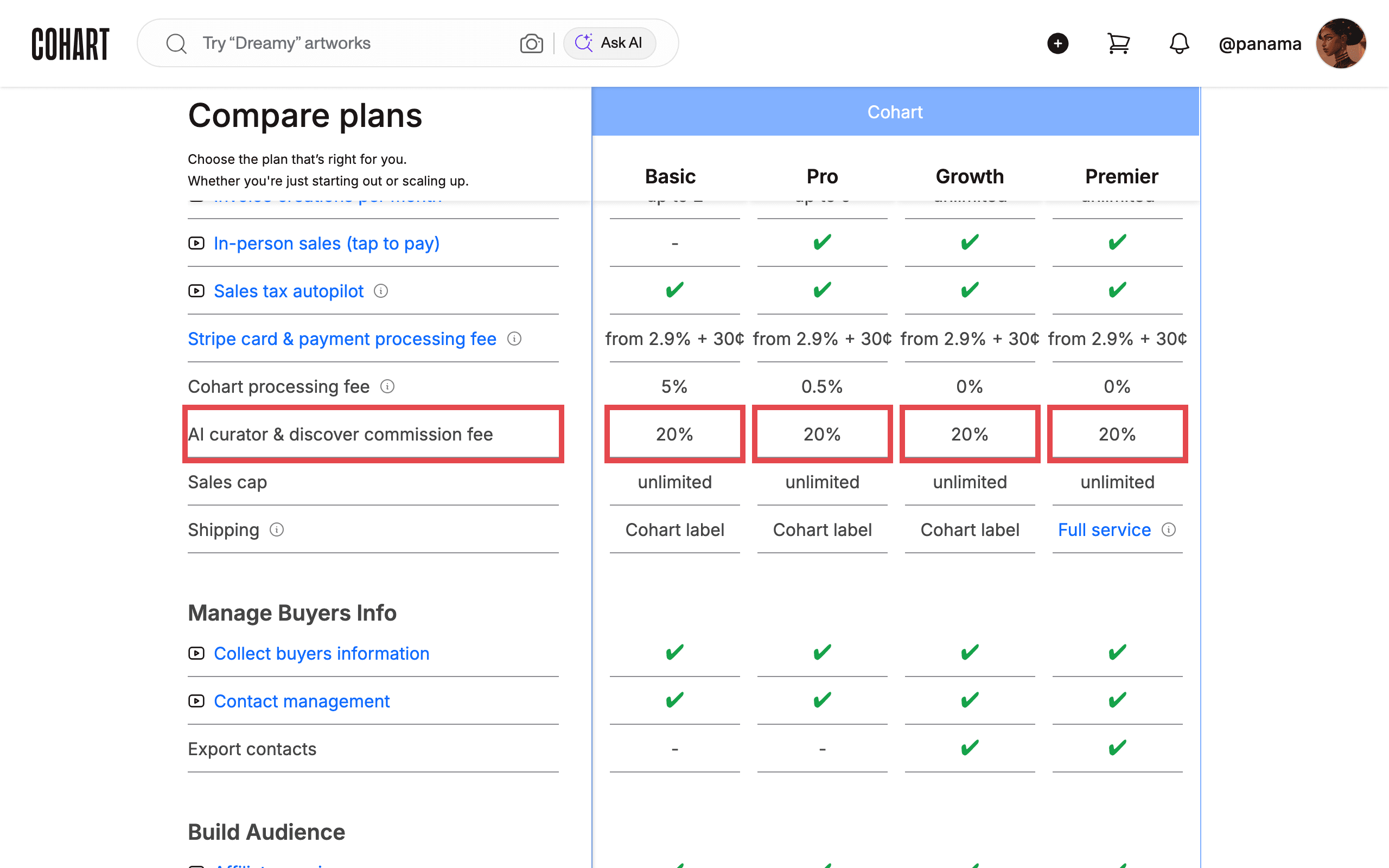
Creating a Cohart account and listing work is free on the Basic plan. Fees only apply when you actually sell:
- A 20% Marketplace commission applies only to sales generated through Cohart Discover and other Cohart-promoted sources — for example, when a collector finds and buys your work from your profile on Cohart or from a Cohart marketing email.
- Direct sales never carry that commission, only your plan’s payment processing fee. Direct sales are:
- In-person sales, including Tap-to-Pay, QR code checkout, and a direct sale link
- Custom invoices
- Your website
- Your marketing emails
- Your private views
- Upgrading to Pro, Growth, or Premier unlocks tools like Tap-to-Pay, the Website Builder, Email Campaigns, and QR labels, and lowers your processing rate. See How to Subscribe to a Pro, Growth, or Premier Plan and Raise Your Artwork Limit for the full comparison, and How to Check Your Selling Fees on Cohart for the exact rates on every plan.
3. Check payment processing fees and how payouts work
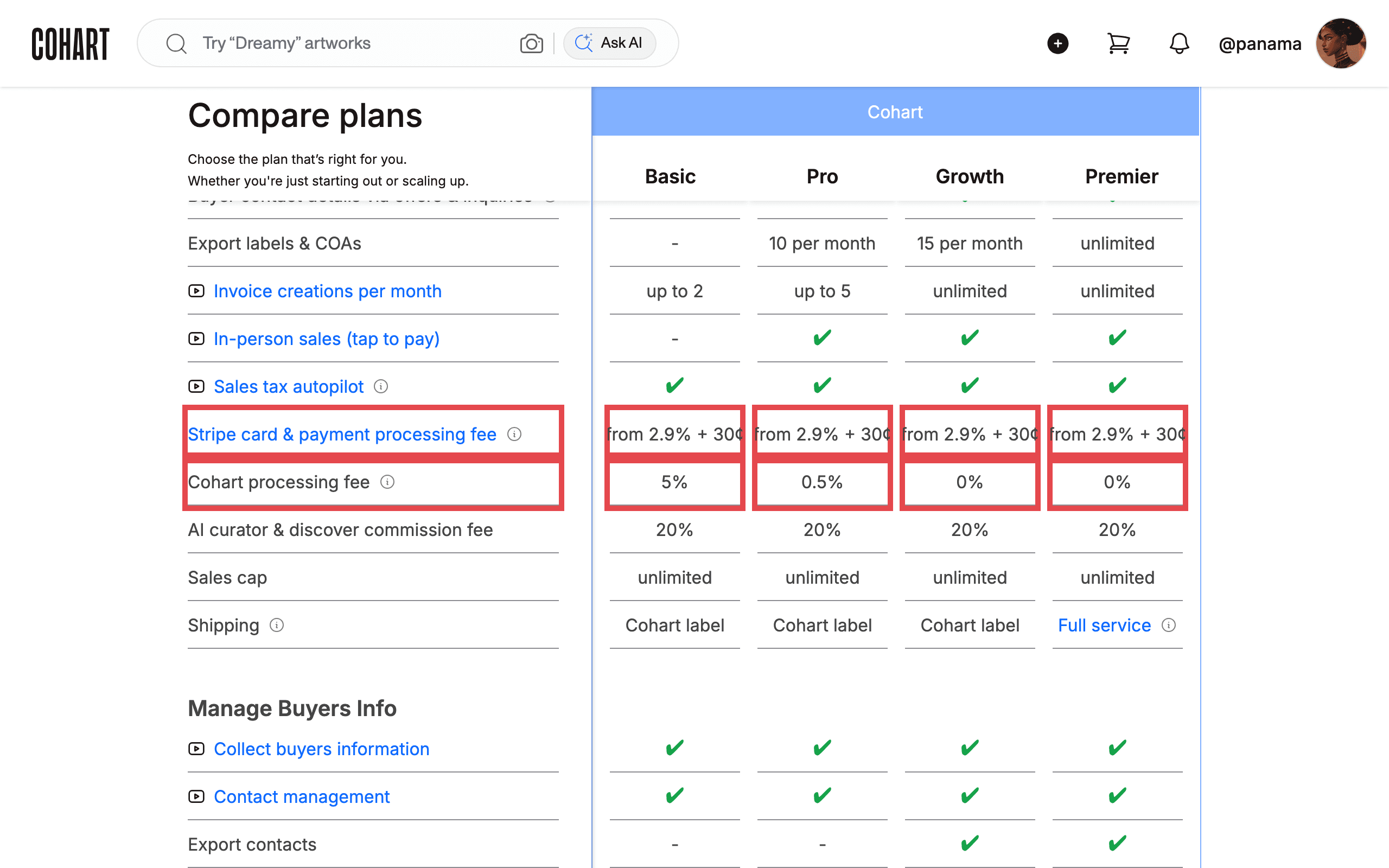
Payment processing fees apply to every transaction that runs through Cohart, and they cover secure processing through Cohart Connect and Stripe — the same fee that lets you accept payments online, through Tap-to-Pay, invoices, QR checkout, and Buy Now purchases. The rate depends on your plan; see How to Check Your Selling Fees on Cohart for current rates and How to Connect Your Bank Account and Manage the Currencies You Sell In for how a connected bank account turns those payments into payouts.
4. Set up sales tax and know your income tax responsibilities
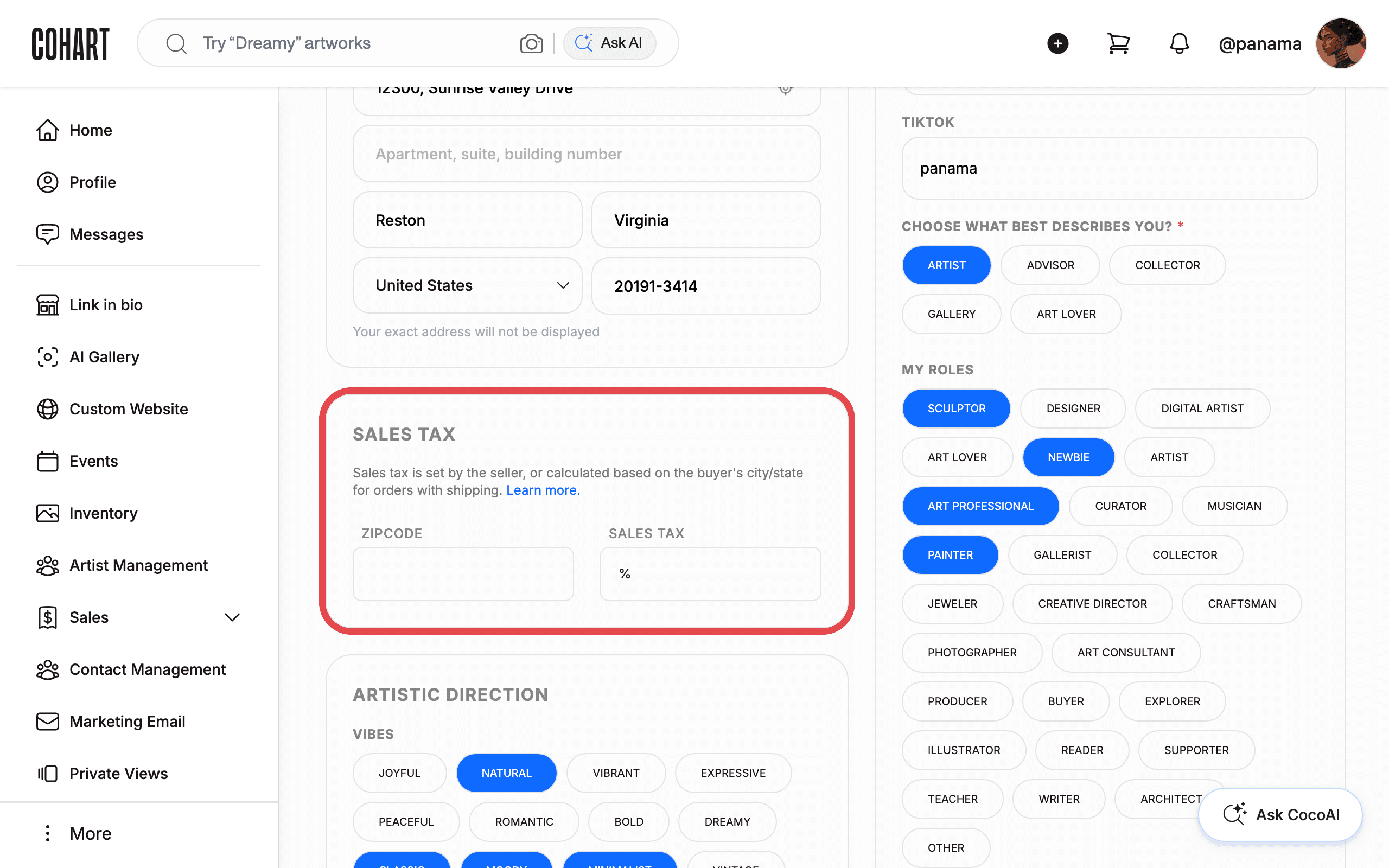
For eligible U.S. sales processed through Cohart, Cohart can calculate, collect, and file sales tax on your behalf — no seller’s permit required. Open Edit Profile and scroll to SALES TAX to enter the zip code of your business, fair, or event location; Cohart applies the correct local tax at checkout automatically once it’s set.
Income tax is different: you’re responsible for your own income tax obligations in your country, and Cohart does not provide personal tax advice. Because Cohart processes sales directly, you don’t need to create a separate invoice for the buyer — but you can generate one addressed to Cohart if you need it for your own VAT or accounting records. For Marketplace sales specifically — through Cohart Discover and other Cohart-promoted sources — Cohart requests a W-9 (U.S. sellers) or W-8BEN/W-8BEN-E (international individuals/businesses) before issuing payouts; these forms are not required for direct sales such as in-person sales, custom invoices, or sales from your website, marketing emails, or private views.
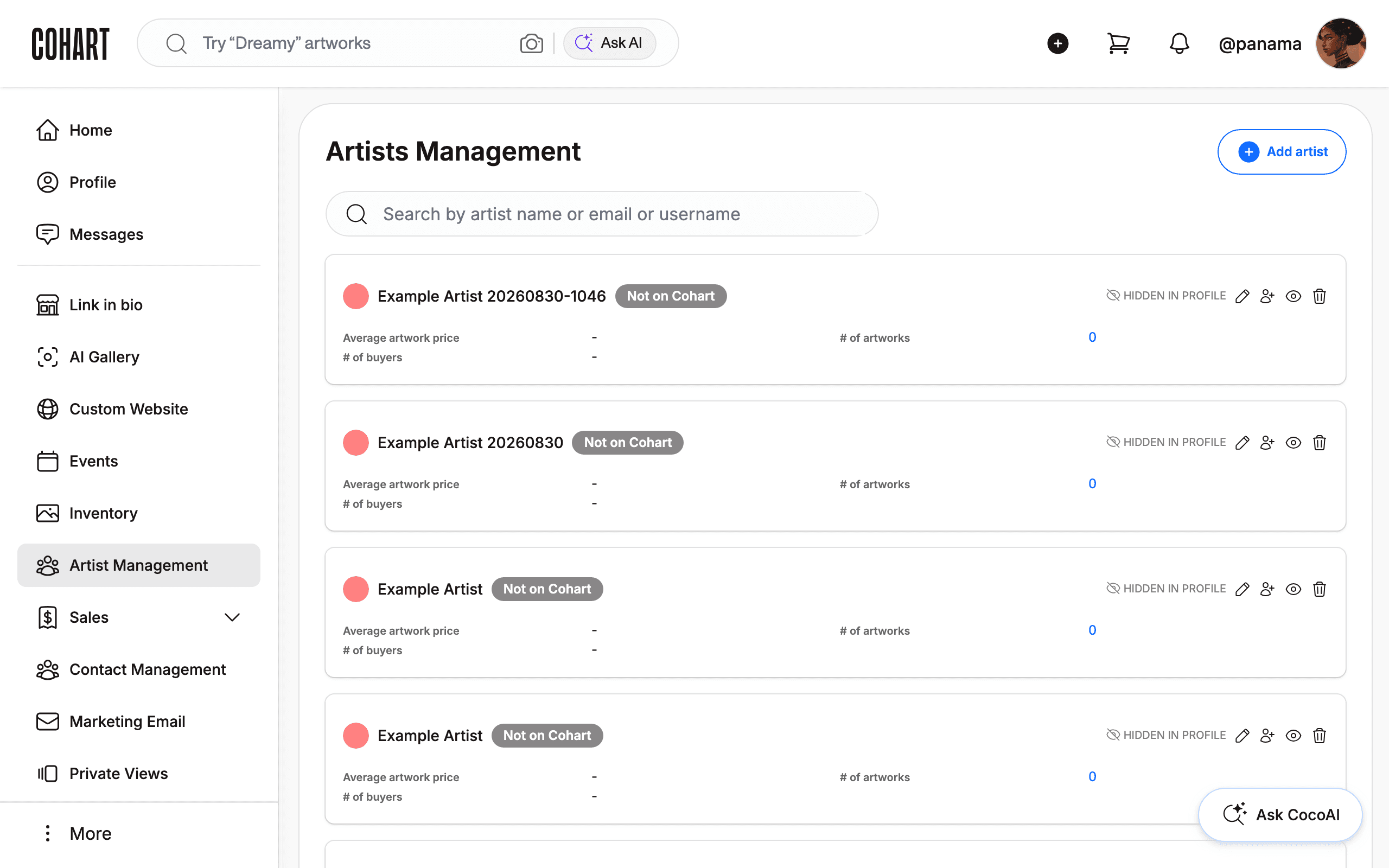
5. Know how selling works if you have a gallery relationship
Cohart doesn’t facilitate sales or commission splits between an artist and their gallery directly — that relationship stays between you. Any artist who works with a gallery can still build their own Cohart profile and list work, and any gallery can build its own profile too; both sides operate independently on the platform.
6. Set your seller name and know your business registration responsibilities
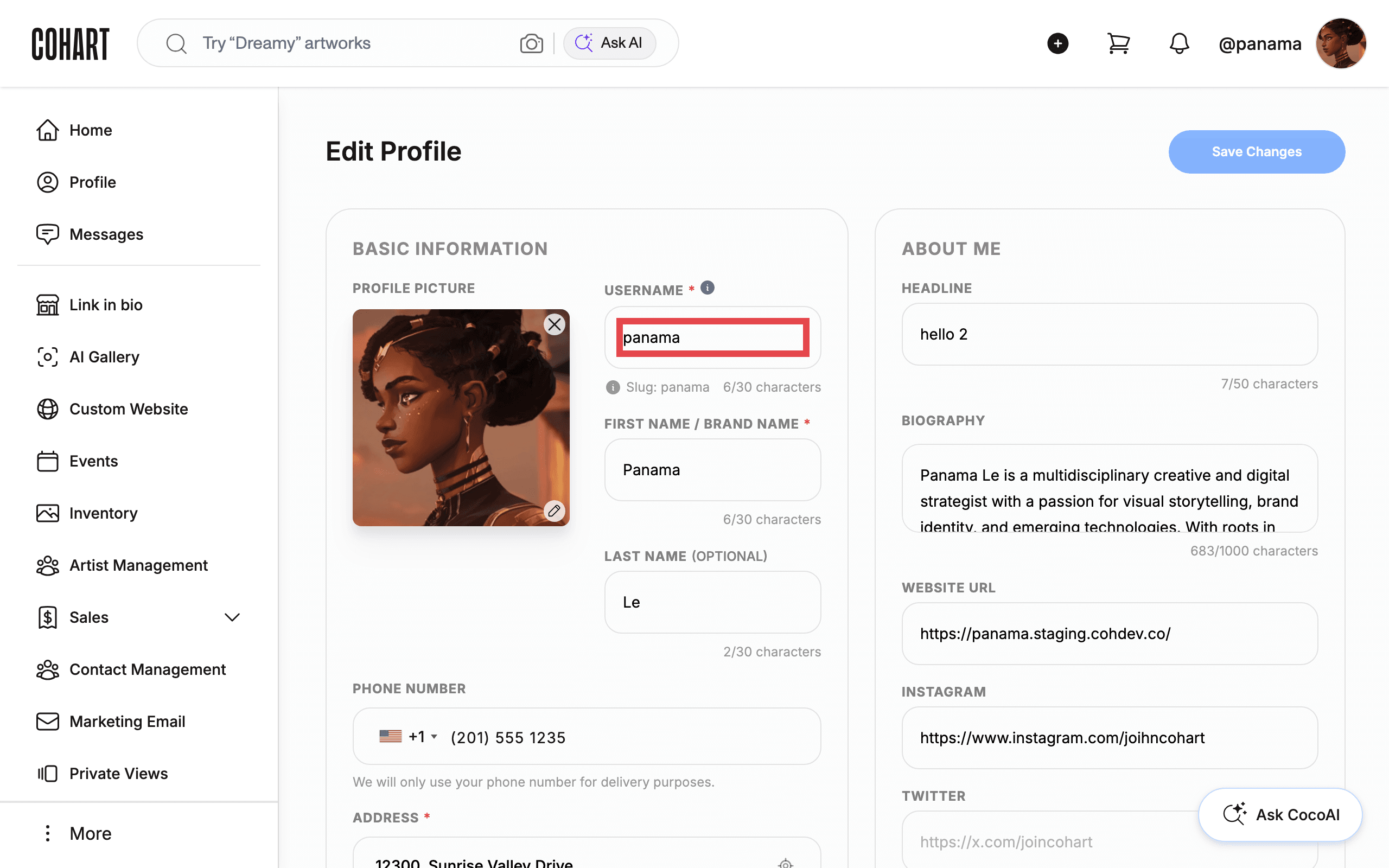
Your public display name on Cohart can be your personal name, a business name, or an artist alias — set it under Edit Profile → BASIC INFORMATION → USERNAME. You’re responsible for complying with whatever business registration or tax rules apply where you’re based; Cohart doesn’t register a business on your behalf. As noted above, only sellers with Marketplace sales need to submit a W-9 or W-8BEN/W-8BEN-E — it isn’t required just to register or sell directly.
7. Know your rights over the art you sell
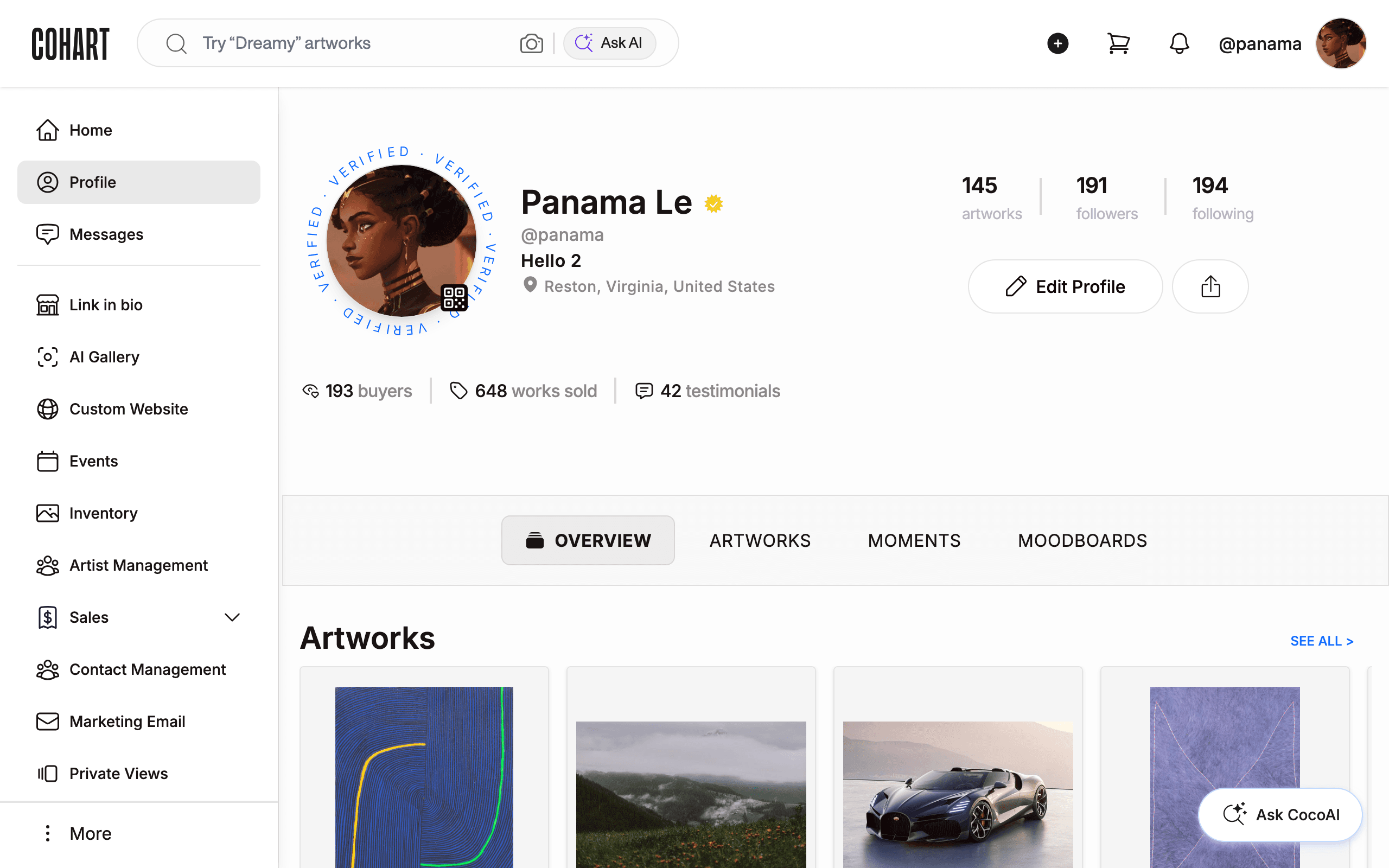
You keep full rights to any artwork you sell through Cohart — listing or selling on the platform does not transfer ownership or copyright. Cohart does reserve the right to use images of your listed artworks in its own promotional marketing; contact Cohart Support if you’d rather opt out of that. Cohart is also non-exclusive, so listing your work on Cohart doesn’t stop you from selling the same pieces, or prints of them, on any other website or platform.
8. Check what you can sell on Cohart
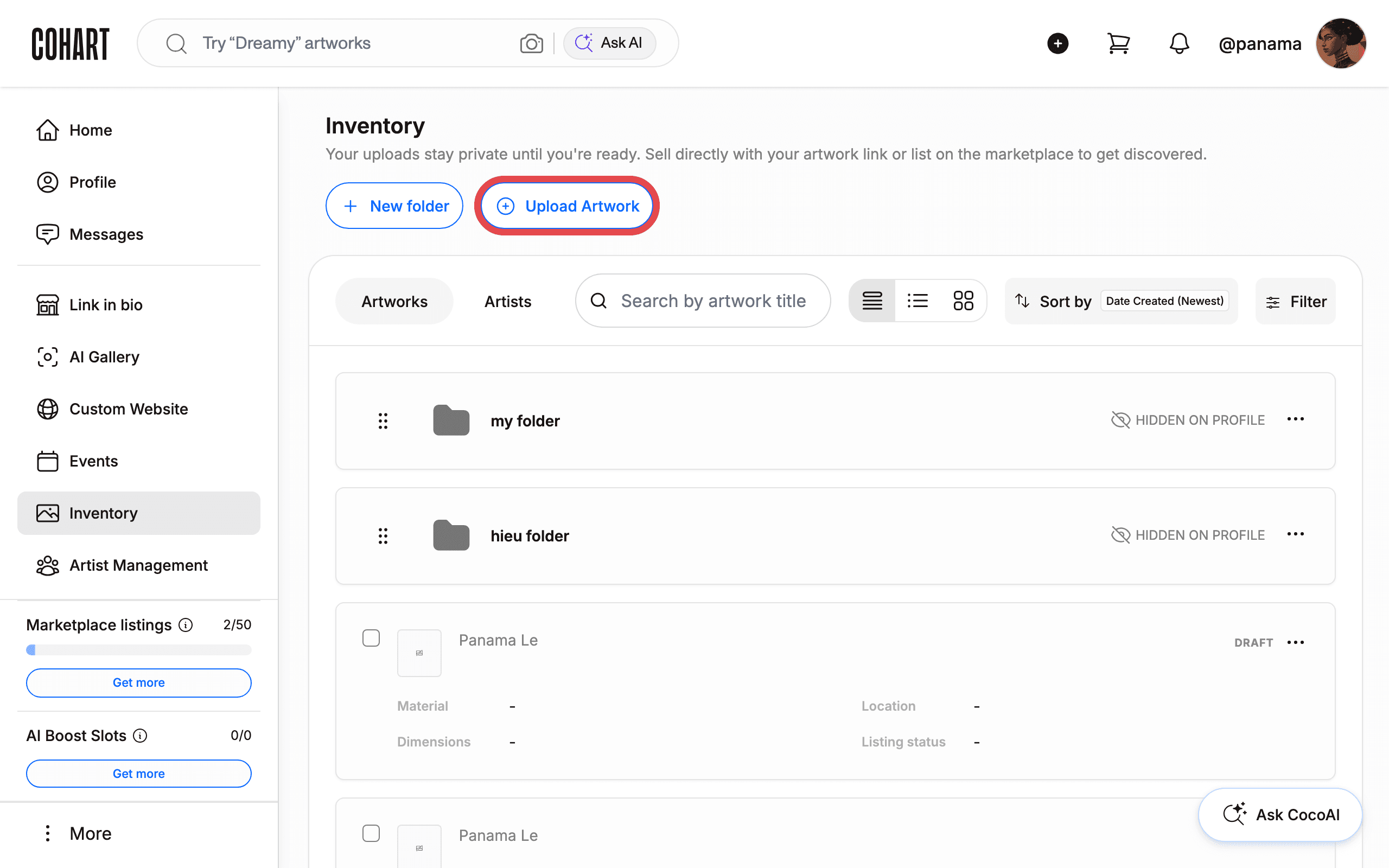
Cohart supports a wide range of creative work beyond original paintings: limited and open edition prints, photography, sculpture, ceramics, art books and illustrated publications, handmade and artisanal homewares, collectible design objects, and artist merchandise, among others. When you click Upload Artwork, the MEDIUMS tag field on the form (for example PAINTING, PHOTOGRAPHY, SCULPTURE, with a see more option for the full list) reflects this range. See How to Upload an Artwork for the full upload steps. Every listing comes directly from a living, practicing artist’s studio or gallery — Cohart never owns or sells inventory itself.
9. Know what happens after a sale, including in-person sales
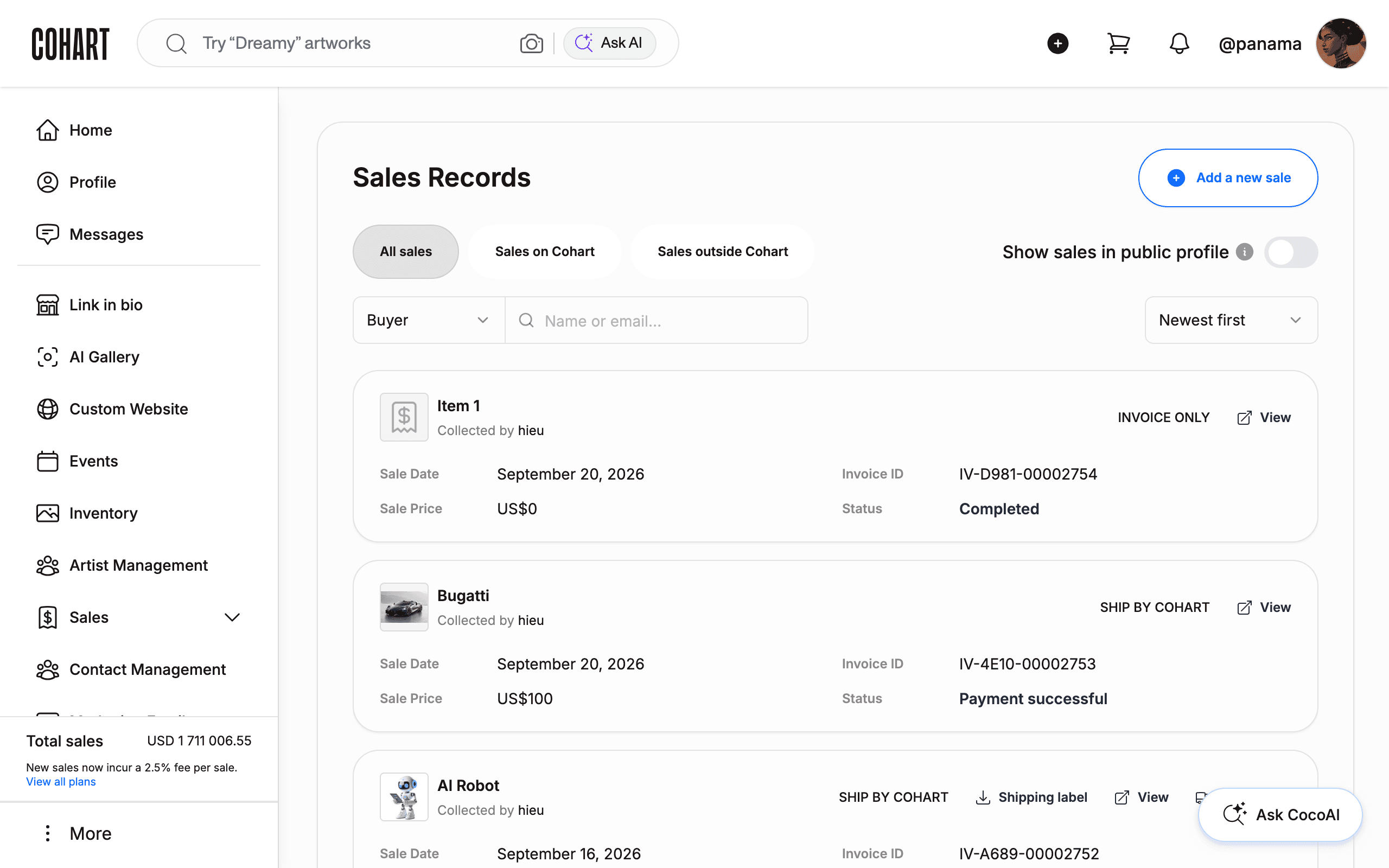
Once a sale completes, it’s covered by Cohart’s Terms of Sale: you review it under Sales → Sales Record, arrange shipping if needed (see How to Prepare Shipping Products and How to Create a Custom Shipping Label), and receive your payout through your connected financial account (see How to Connect Your Bank Account and Manage the Currencies You Sell In).
For in-person sales, the buyer selects Pick up at checkout and enters payment details there — no shipping fees apply, since the artwork changes hands directly. See How to Create an Invoice on Cohart for the full set of fulfillment options, including Pick Up / Ship by Seller.
10. Understand how authentication works
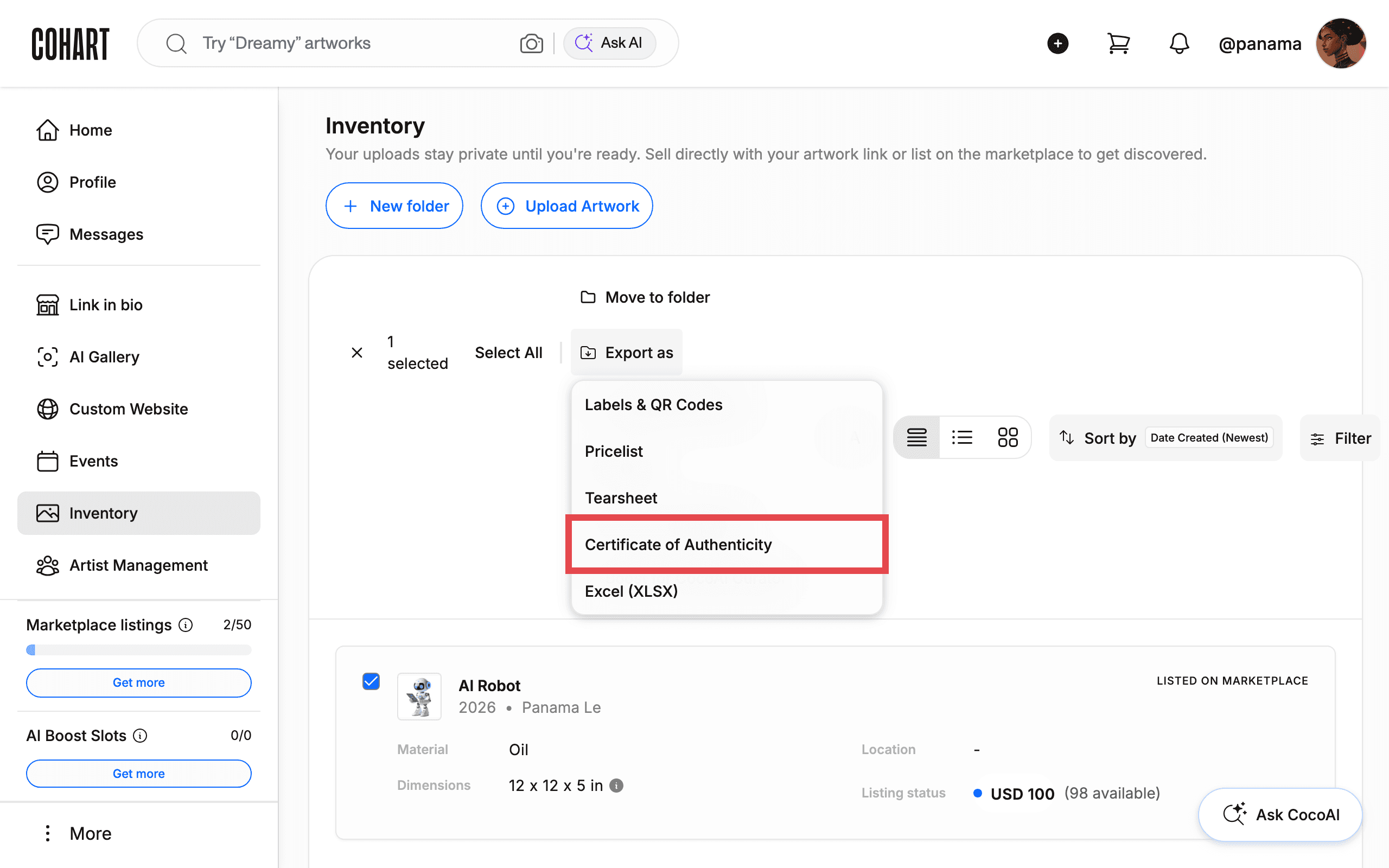
Cohart builds trust between buyers and sellers in a few ways: every artwork is tied to the seller’s verified Cohart profile, so collectors can see who they’re buying from. For eligible purchases made through a Cohart artwork listing, a digital Certificate of Authenticity (COA) is generated automatically and emailed to the buyer after purchase. If you also want to include a signed physical COA with the shipment, that’s optional — Cohart provides a printable COA template you can download from Inventory. Select an artwork with the checkbox and click Export as to reach labels, price lists, tear sheets, and COAs. Buyers open the digital certificate for an artwork they bought from More > Purchases (see How to View Purchases and Certificates of Authenticity).
11. Know what to do if your Seller Account is suspended
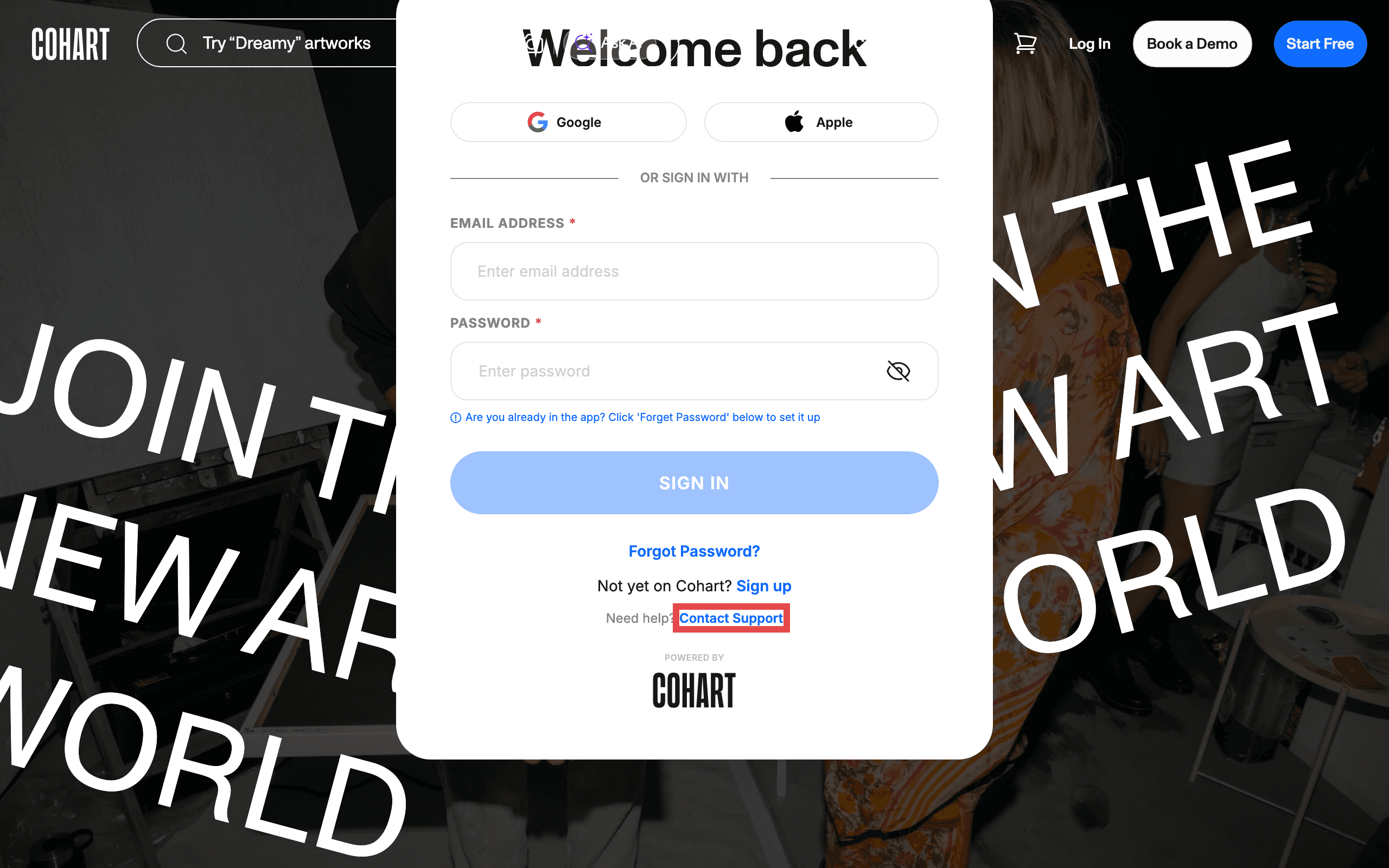
If your account is suspended, Cohart doesn’t reinstate it automatically or explain the reason within the app. Contact Cohart Support for the specific reason and guidance on next steps — they can tell you what needs to be resolved and whether the account can be reinstated.
Tips
- Check your current plan before assuming a fee applies. Processing rates, invoice limits, and marketplace listing slots all scale with your plan (Basic, Pro, Growth, Premier) — see How to Check Your Selling Fees on Cohart.
- Direct sales avoid the Marketplace commission entirely. In-person sales (Tap-to-Pay, QR checkout, direct sale link), custom invoices, your website, your marketing emails, and your private views only ever carry your plan’s processing fee, never the 20% Marketplace commission.
- Sales tax and income tax are handled differently. Cohart automates U.S. sales tax collection and filing for eligible sales; income tax stays entirely your responsibility.
- A Pricing & Career Advice consultation is available if you want personal guidance on positioning your work or plan, as a paid add-on from Manage Plan — see How to Buy Additional Support Services.
Troubleshooting
- You’re not sure whether a sale will carry the 20% commission → it only applies to sales generated through Cohart Discover and other Cohart-promoted sources, such as your Cohart profile or a Cohart marketing email → check where the buyer found the listing, or contact support@cohart.com if a direct sale was charged in error.
- Sales tax isn’t calculating at checkout → the zip code under Edit Profile → Sales Tax may be missing or wrong for the sale’s location → update it, or enter 00000 to opt out and manage tax yourself.
- You were asked for a W-9 or W-8BEN and didn’t expect it → this only happens for Marketplace sales (Cohart Discover and other Cohart-promoted sources), before a payout is issued → submit the form to release the payout; it isn’t required for direct sales such as in-person, invoice, website, marketing email, or private view sales.
- Your Seller Account shows as suspended → Cohart doesn’t state the reason inside the app → contact Cohart Support through the Contact Support link on the sign-in page for the specific reason and next steps.
- You’re unsure if you can also sell the same work elsewhere → Cohart is non-exclusive → you’re free to list on other platforms while also listing on Cohart.