How to Get Paid: Seller Payouts on Cohart
Overview
Seller Payouts is how your sales earnings move from a buyer’s payment into your own bank account, through Cohart Connect (Cohart’s payout system built on Stripe).
- Who it’s for — artists and galleries who sell on Cohart through any channel: Discover, your own storefront, invoices, QR/QuickSell, Private Views, or Tap-to-Pay.
- What it controls — which bank account receives your money, which currency you get paid in, how often funds move (your payout schedule), and how much is deducted before you receive a payout (processing fees and, for Discover sales only, a marketplace commission).
- Where it happens — the balance section and Transactions list on a connected account’s detail page, inside Financial Accounts in your dashboard.
- What you end up with — a clear view of what is available to pay out, when your next payout goes out, a full breakdown of what was deducted, and a history of every payment and payout status.
- Why it exists — Cohart Connect sends payouts directly from Stripe to your bank, so funds no longer have to pass through Cohart first, which means faster payouts, multi-currency support, and stronger seller protections than the previous payout model.
Before you start
- Connect a bank account first. Payouts only work once you have completed Cohart Connect and connected at least one bank account, as described in How to Connect Your Bank Account and Manage the Currencies You Sell In. The currency of your connected account is also the currency you list artwork in.
- Selling through Discover may require a tax form. If you sell through the Cohart Discover marketplace, Cohart must collect a W-9 (U.S. sellers) or W-8BEN / W-8BEN-E (international individuals / businesses) before marketplace payouts can be issued. POS, Tap-to-Pay, invoice, and other direct Cohart Connect sales do not need a W-8 or W-9 to Cohart — that tax information is collected during Stripe onboarding instead. Email completed forms to support@cohart.com or request a DocuSign to complete one electronically.
- Know how U.S. sales tax fits in. Cohart can collect and file U.S. sales tax on eligible transactions; this is handled separately and does not reduce your payout. See How to Manage Sales Tax on Your Sales for details.
- A sale can still be processed before you connect a bank account, but the payout is then held for 60 days before it can be disbursed. Connect your bank account in advance to avoid this delay.
Steps
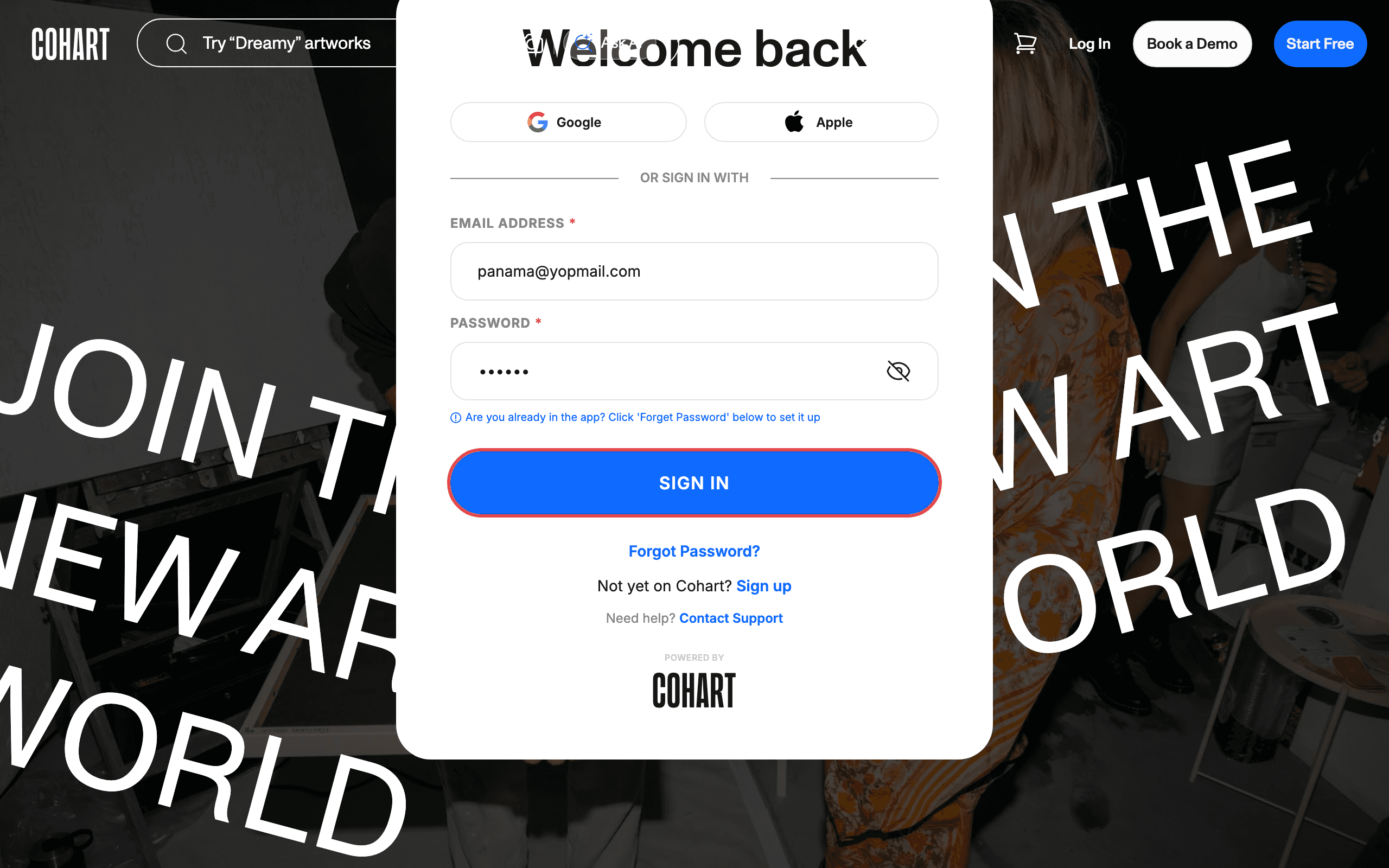
1. Sign in to Cohart
Sign in with your email address and password, or use Google or Apple.
2. Open a connected Financial Account
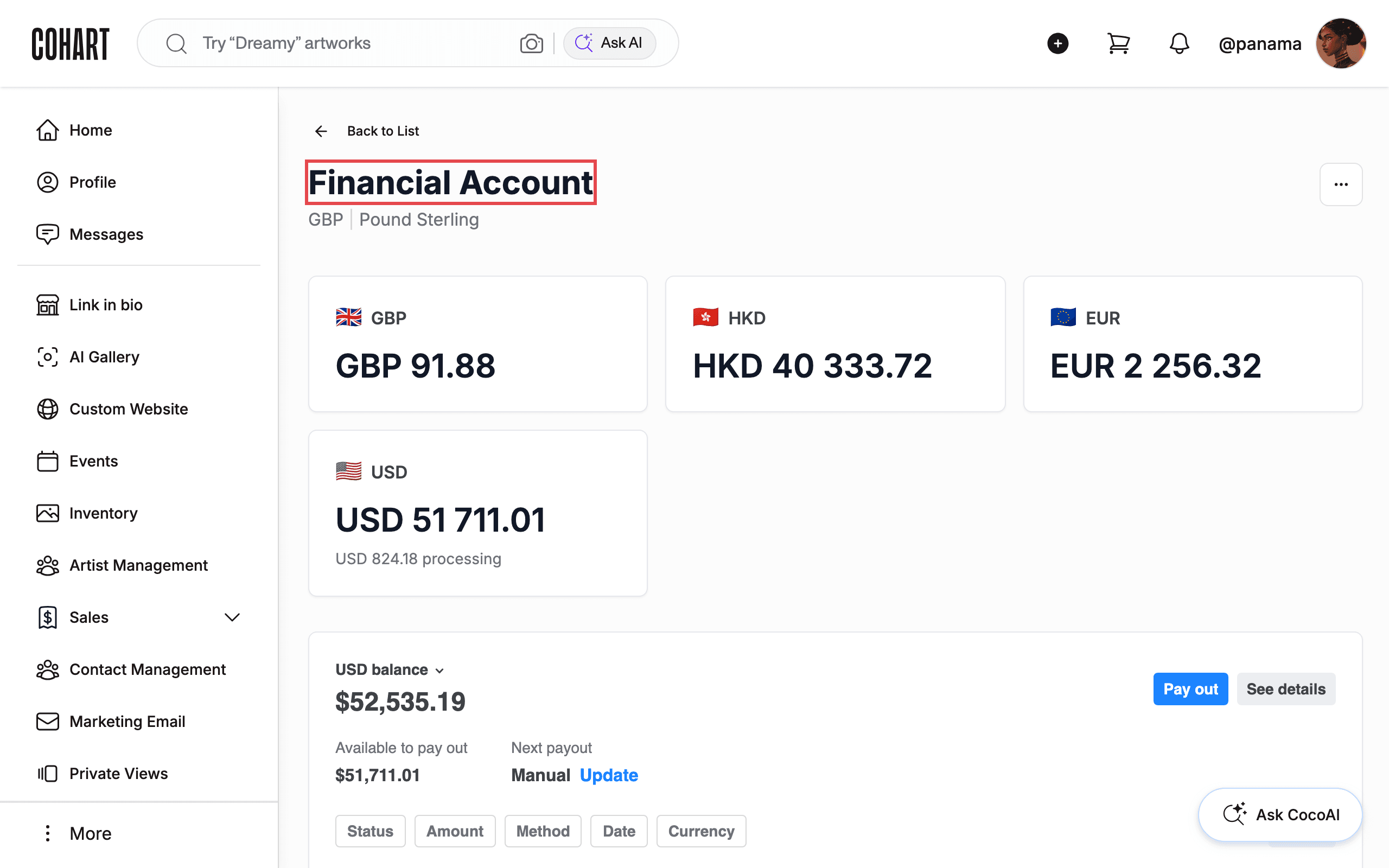
From your dashboard sidebar, open Financial Accounts, then click Details on the connected account you want to review. The account detail page is titled Financial Account and shows a balance card for every currency on that connection (for example GBP 91.88, HKD 40 333.72, EUR 2 256.32, USD 51 711.01).
3. Review your available balance and next payout
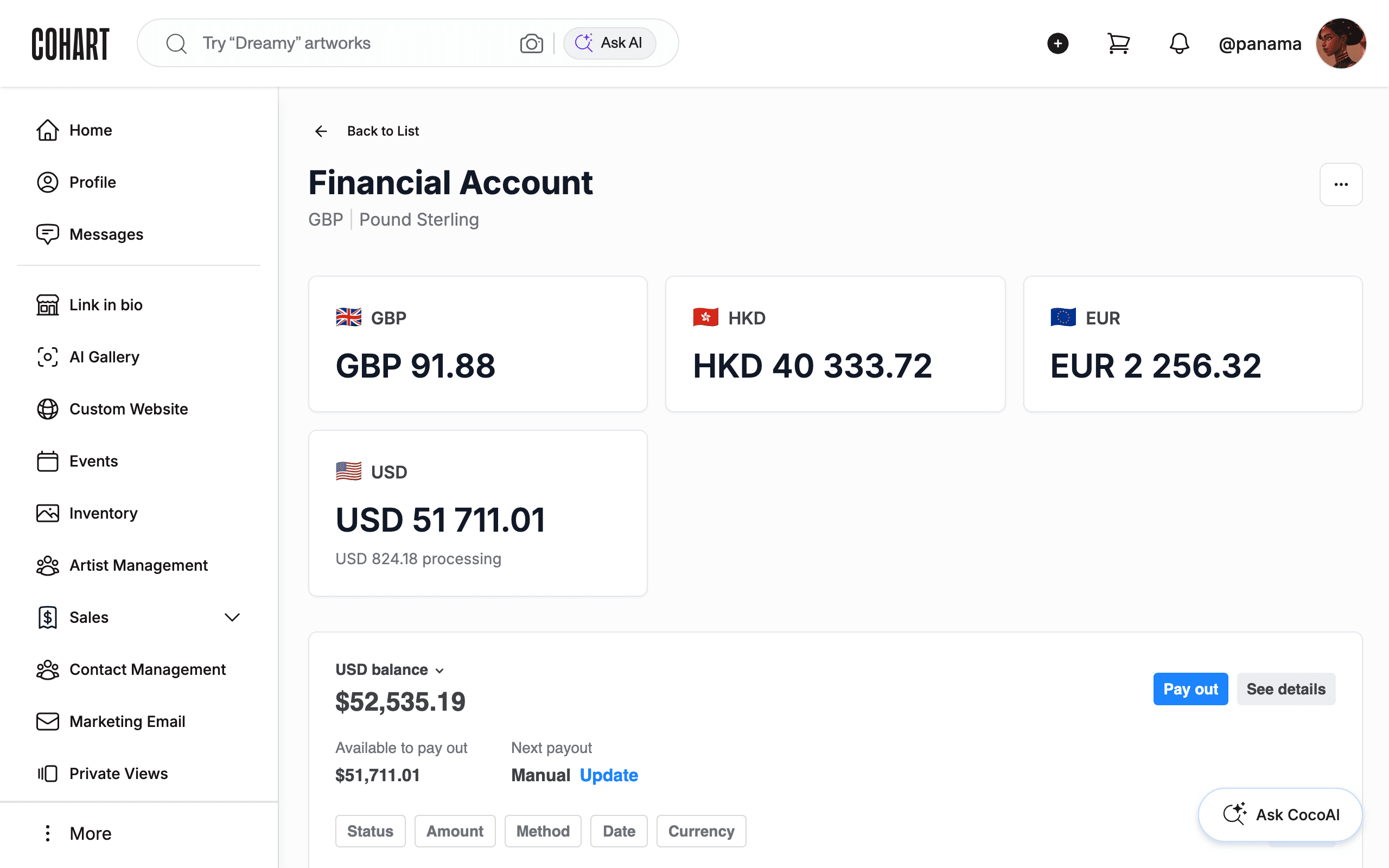
Below the currency cards, each balance section shows the total balance (for example $52,535.19), Available to pay out (for example $51,711.01), and Next payout (Manual or a scheduled day). Click Pay out to start a payout, or See details for the full breakdown.
4. Update your payout schedule
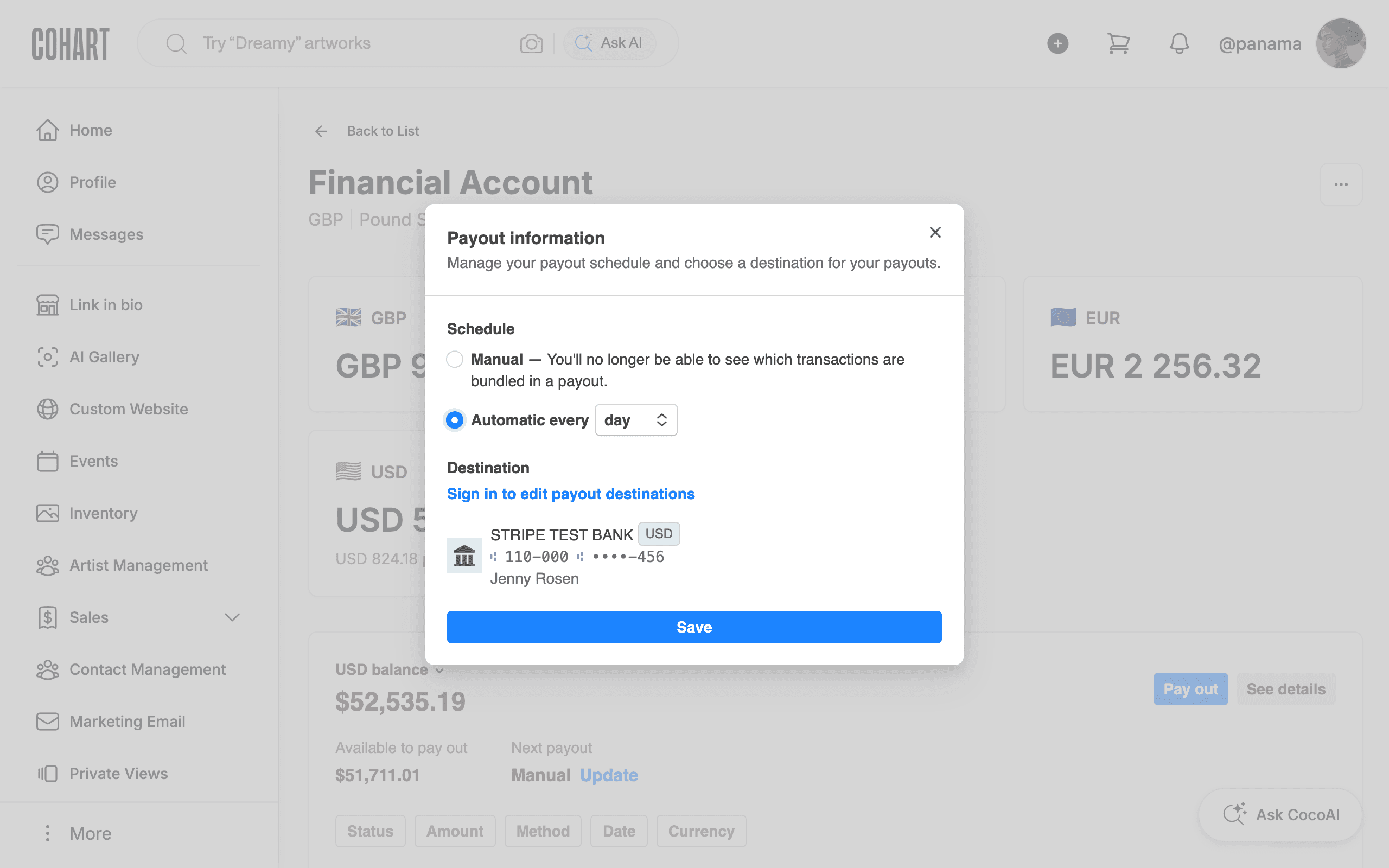
Click Update next to Next payout to open the Payout information dialog. Under Schedule, choose Manual — you release funds yourself and won’t see which transactions are bundled in a payout — or Automatic every day, week, or month to have eligible funds transferred on that cadence automatically. The Destination section shows the connected bank account payouts go to. Click Save to apply a change, or close the dialog to leave your schedule as is.
5. Review the payout breakdown
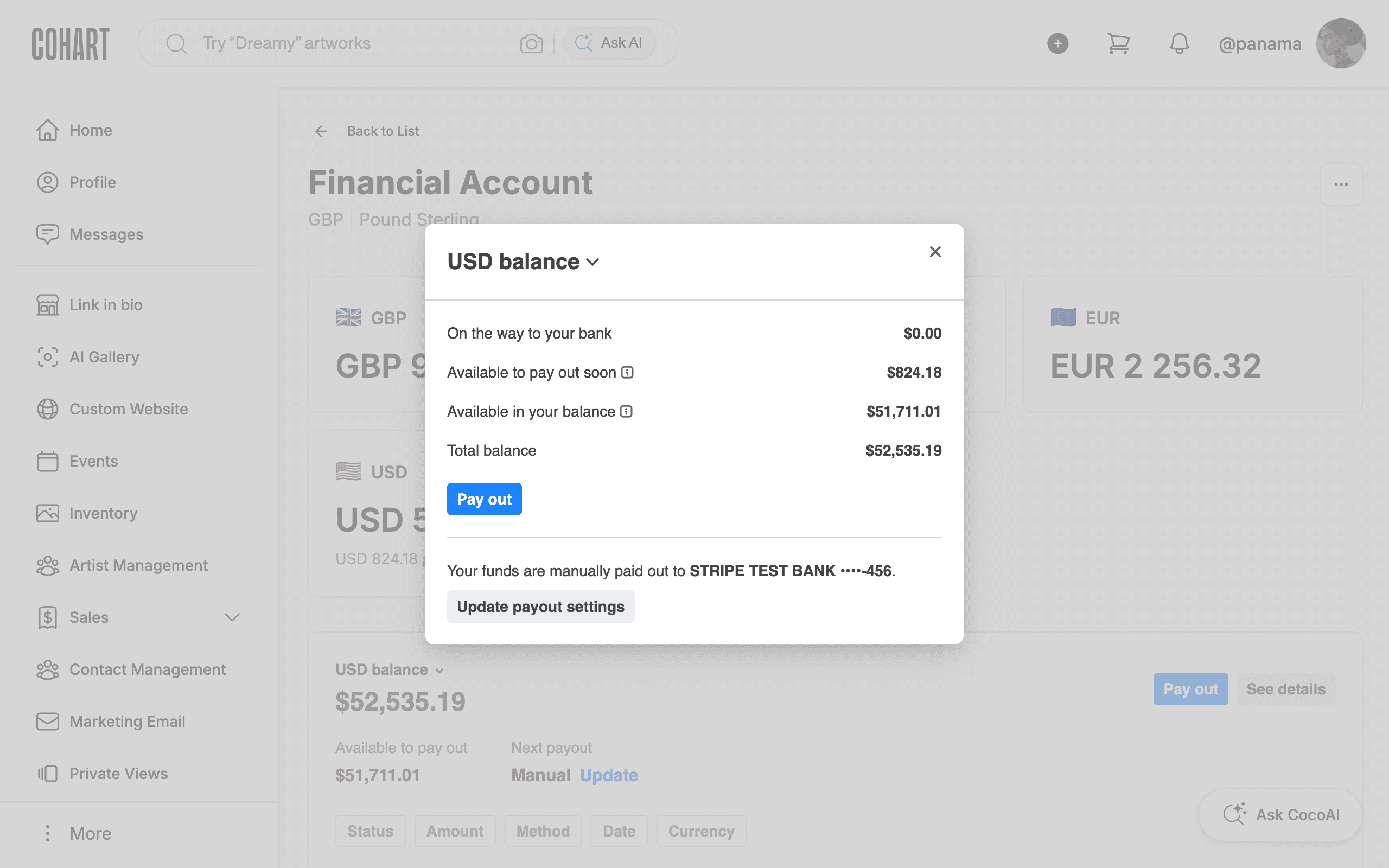
Click See details to open the balance breakdown dialog. It lists On the way to your bank, Available to pay out soon, Available in your balance, and Total balance, plus which bank account funds are manually paid out to. Click Pay out here to start a payout, or Update payout settings to change the schedule.
6. Start a payout
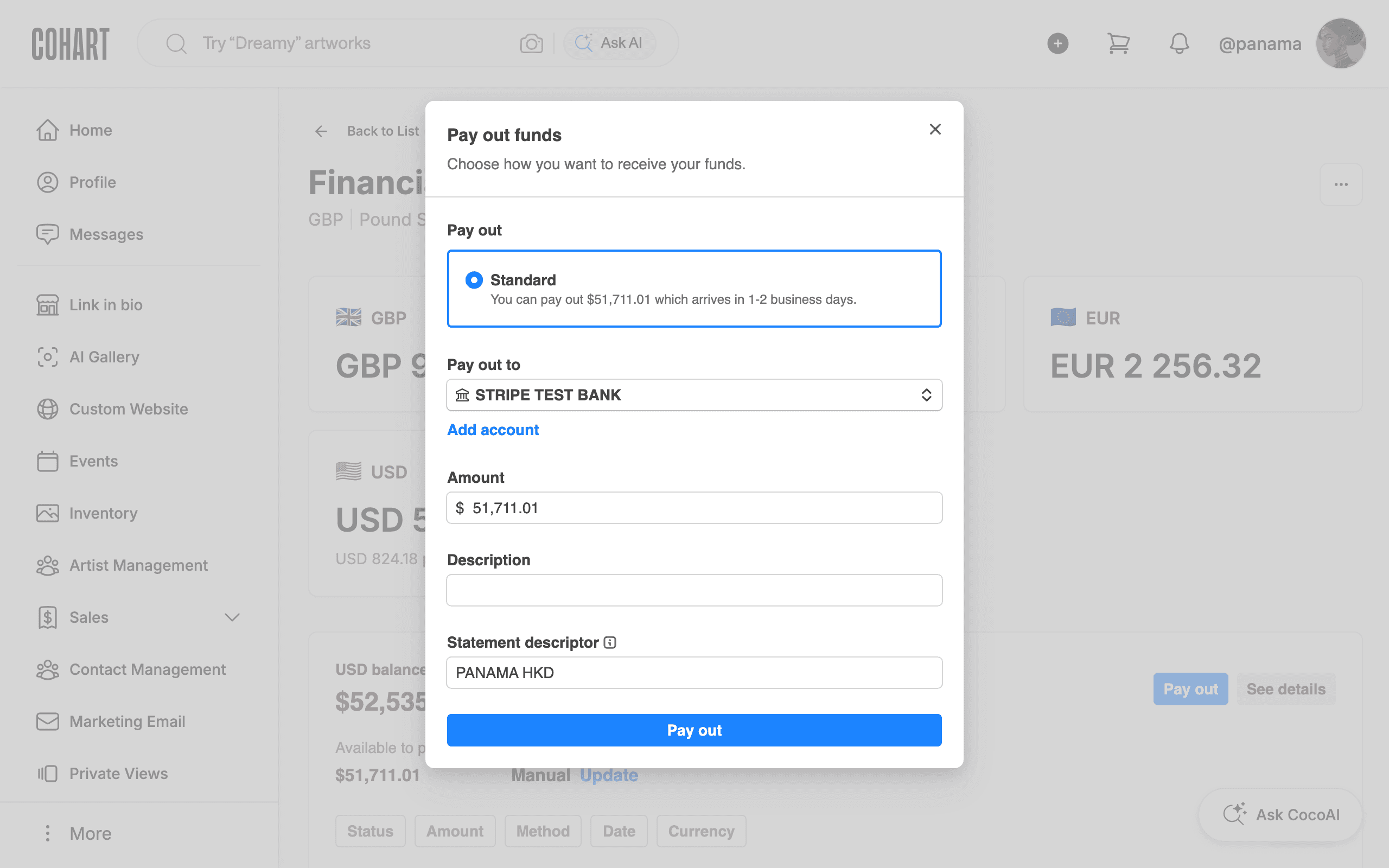
Click Pay out to open the Pay out funds dialog. Choose a payout speed under Pay out (for example Standard, which arrives in 1-2 business days), confirm Pay out to (your connected bank account) and the Amount, and optionally add a Description. Review the Statement descriptor that will show on your bank statement, then click Pay out to send the funds. [UNVERIFIED — check manually: the final submit was not clicked, so confirm what happens immediately after a real payout is sent.]
7. Track every payment and payout in Transactions
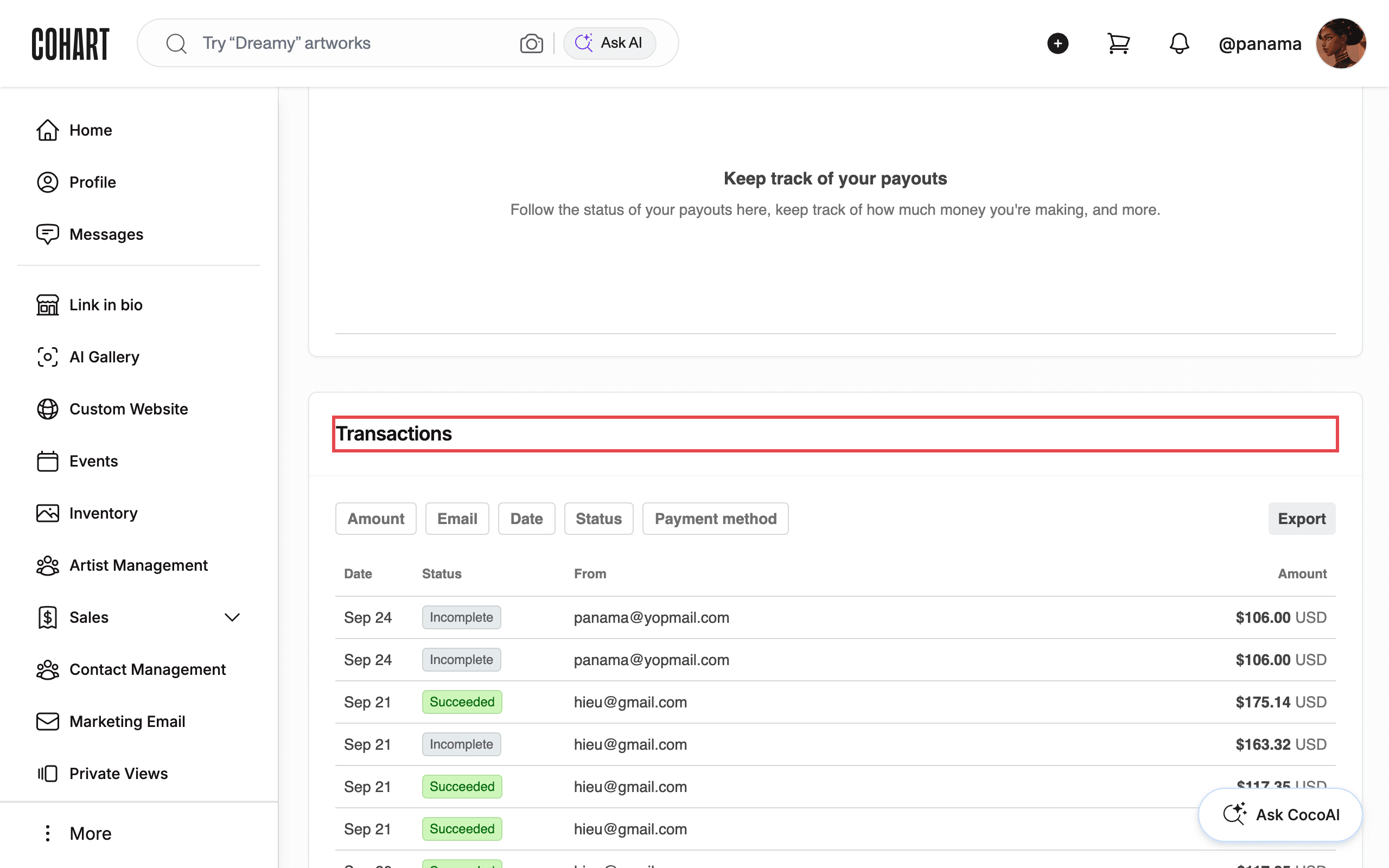
Scroll down to Transactions to see every payment into this account. Filter by Amount, Email, Date, Status, or Payment method, and click Export to download the list. Each row shows the Date, Status (for example Succeeded or Incomplete), who the payment is From, and the Amount.
Tips
- Shipped-sale payouts follow a different timeline. Shipped sales are typically paid by wire transfer and released 14 days after delivery is confirmed, separately from your regular payout schedule.
- Your payout is the artwork price minus fees. Processing fees are set by your plan tier (see How to Check Your Selling Fees on Cohart); Discover marketplace sales also deduct a 20% marketplace commission. Sales tax collected from a U.S. buyer is not deducted from your payout.
- The 20% marketplace commission only applies to Discover. You keep 100% of sales made through your Cohart webpage, direct inventory sales, email campaigns, QR/QuickSell, Tap-to-Pay, and Private Views — normal processing fees still apply to those, just no commission.
- There is no fee for taking a payout. Cohart does not charge extra based on how often you choose to be paid; your schedule only changes timing, not the amount you receive.
- Connect more than one currency account (for example USD, EUR, and AUD) so a sale settles into the matching currency instead of converting through your default account.
- Buyers can pay in a different currency than your listings. Stripe converts the payment automatically and pays out in your connected account’s currency.
- Selling abroad without a matching currency account? Use the currency conversion view at the bottom of the checkout screen in the Business App to show a buyer the live converted price, or connect a Wise account to receive payouts in a currency your bank doesn’t offer.
- Shipping costs are the seller’s responsibility and are not deducted from your payout; factor packaging costs into your price or itemize them on the invoice.
- American Express is disabled by default to protect sellers from Amex’s cardholder-favoring dispute process; contact Cohart if you want it enabled for your account.
Troubleshooting
- Payout is delayed 60 days → you made a sale before connecting a bank account through Cohart Connect → connect your account under Financial Accounts for future sales; this does not change timing for the sale already processed.
- Can’t select USD when connecting a bank account in some countries (for example Italy) → Stripe’s regulatory limits currently restrict USD accounts for some locally registered entities → list and get paid in the supported currency (for example EUR) instead; buyers can still pay in other currencies.
- Marketplace payout is on hold → you sold through Discover but haven’t submitted a W-9 or W-8BEN/W-8BEN-E → email the completed form to support@cohart.com or request a DocuSign.
- A payment settled for less than the sale price → the buyer paid in a currency other than your connected account’s currency, so Stripe converted it and applied a conversion fee → connect an account in that currency to be paid in it directly.
- A buyer’s American Express card is declined → Amex is disabled by default due to its higher dispute risk for sellers → have the buyer use Visa, Mastercard, or another supported method, or contact Cohart to discuss enabling Amex.
- No supported bank account for your country or currency → Stripe doesn’t support every country or currency → open a Wise account, which provides local bank details in multiple currencies and can often be connected to Cohart Connect instead.
- Payout isn’t instant after a sale → Stripe must receive and clear funds and run fraud/dispute checks before a payout can be sent → this protects you from chargebacks and failed payments; expect payouts within 1-5 business days once cleared.