How to Find Answers to Common Buyer Questions
Overview
This guide answers the questions buyers ask most often about buying artwork on Cohart, from starting a purchase to what to do if an artwork arrives damaged or an order is canceled.
- Who it’s for — anyone buying artwork on Cohart, whether signed in or checking out as a guest.
- What it covers — how to buy, which payment methods you can use, who pays processing fees, how to know an artwork is authentic, damage and returns, help finding an artwork, missing confirmation emails, and canceled orders.
- Where the answers apply — the artwork page, Checkout, the Purchases page and its Order Details, and Cohart’s support email addresses.
- What you end up with — the answer to your question and the guide or contact to use next.
Steps
1. Buy an artwork, signed in or as a guest
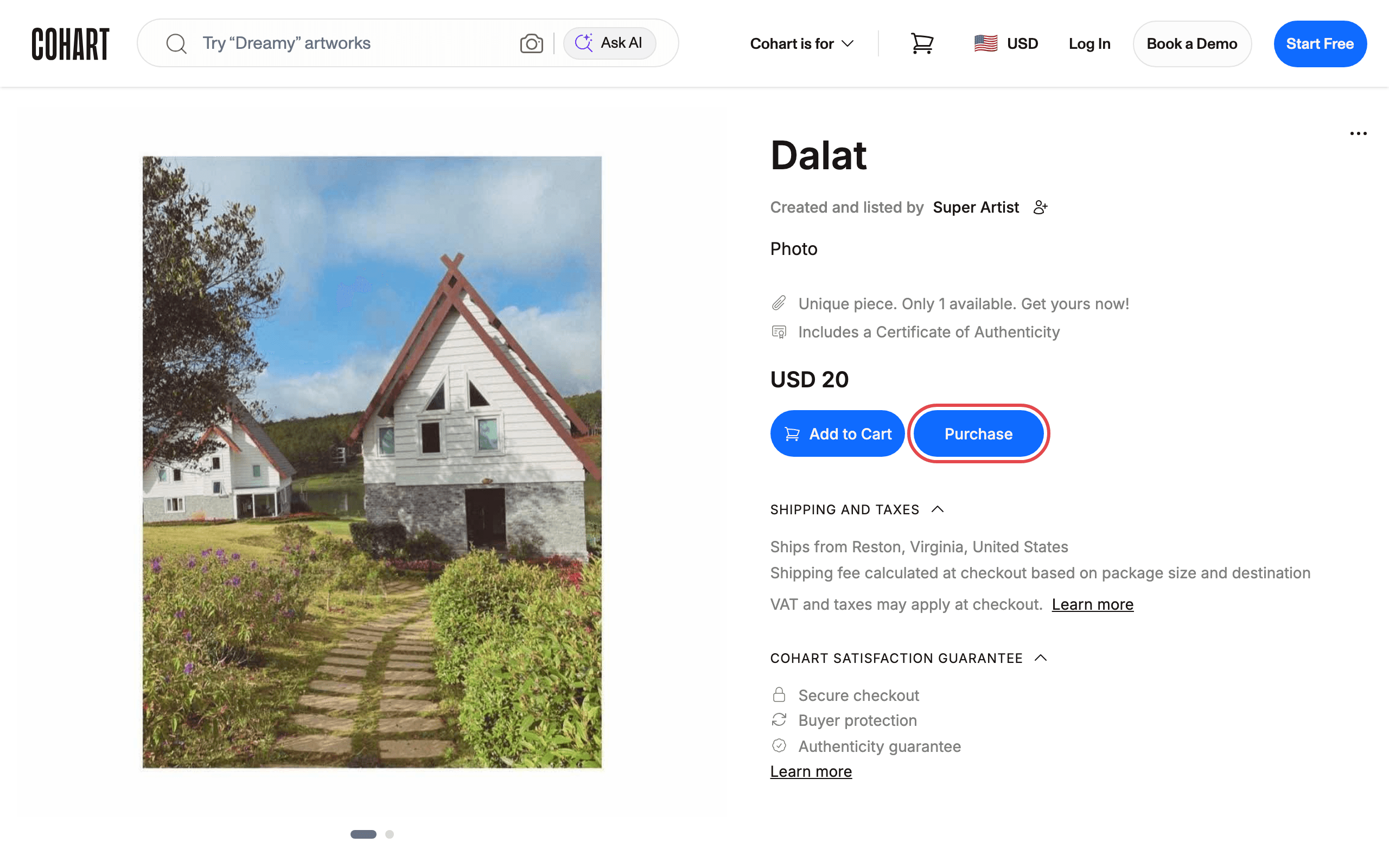
Anyone can buy on Cohart, whether signed in or as a guest. Browse Cohart to find your next artwork, open it, and click Purchase to go to checkout, or Add to Cart to keep browsing. See How to Buy an Artwork on Cohart for the full checkout, and How to Track Your Order After a Purchase for what happens after you buy.
2. Choose a payment method
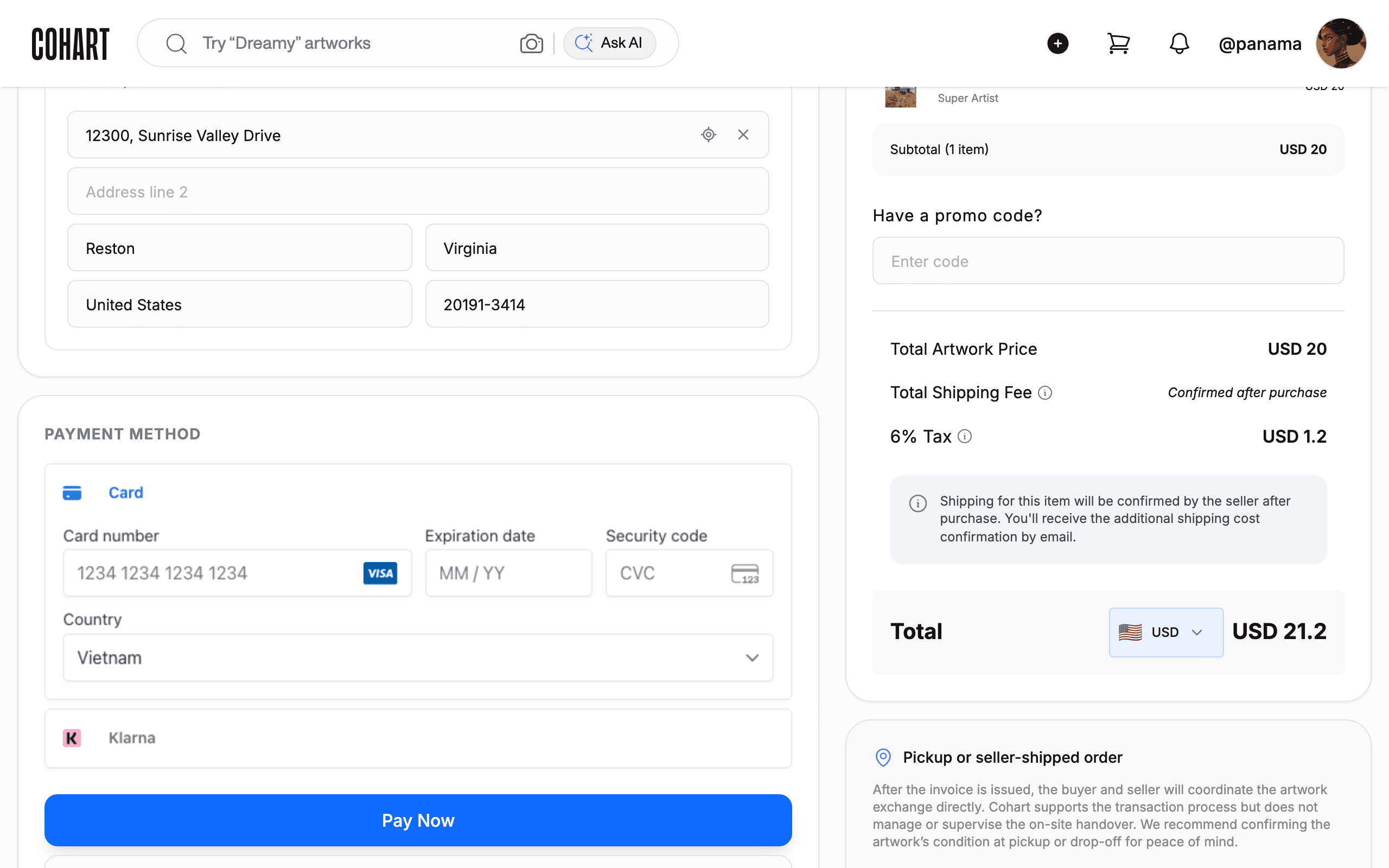
Cohart offers several payment options to make art purchases accessible. At checkout, the PAYMENT METHOD section offers Card (credit or debit) and Klarna “Buy now, pay later”; Apple Pay or Google Pay appear when your device and browser support them. Tap to Pay is available for in-person sales through the Cohart app. See How to Choose a Payment Option at Checkout for each option.
3. Check who pays the processing fee
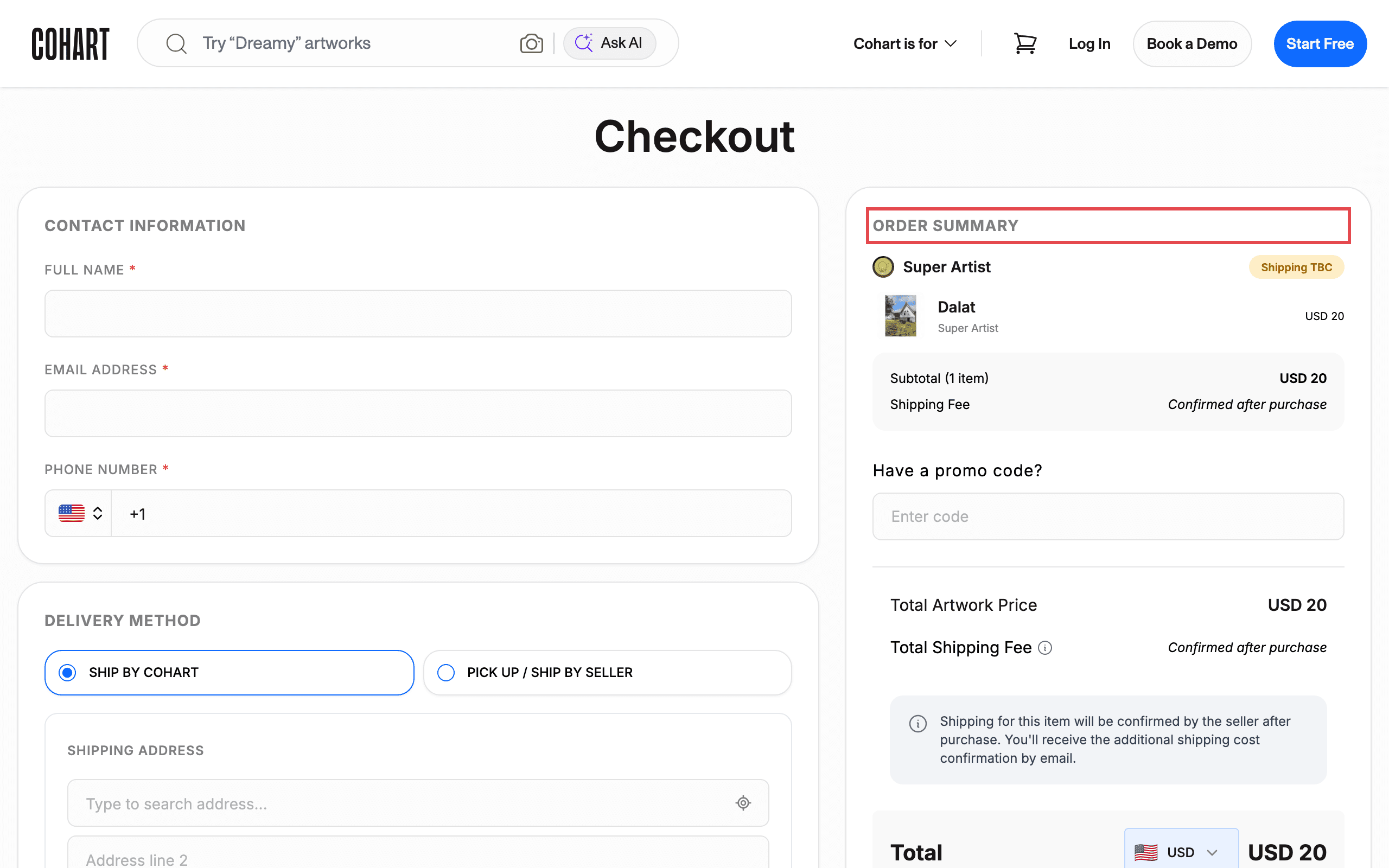
Payment processing fees apply to transactions processed through Cohart and depend on the seller’s Cohart plan. They are deducted from the seller’s payout unless otherwise stated at checkout. As a buyer, you pay the listed artwork price plus any applicable sales tax, shipping, or other checkout charges, shown in the ORDER SUMMARY.
4. Check that an artwork is authentic
Cohart reviews seller profiles to help ensure that artists, galleries, and creative businesses present legitimate work on the platform. For eligible purchases made through a Cohart artwork listing, a digital Certificate of Authenticity is generated and sent to you after purchase — open the order’s details from Purchases and click View certificate to see it. Some sellers also include their own physical certificate. If you have questions about a specific artwork or seller, email hello@cohart.com and the team can help review the profile or listing. See How to View Purchases and Certificates of Authenticity for more.
5. Report an artwork that arrives damaged
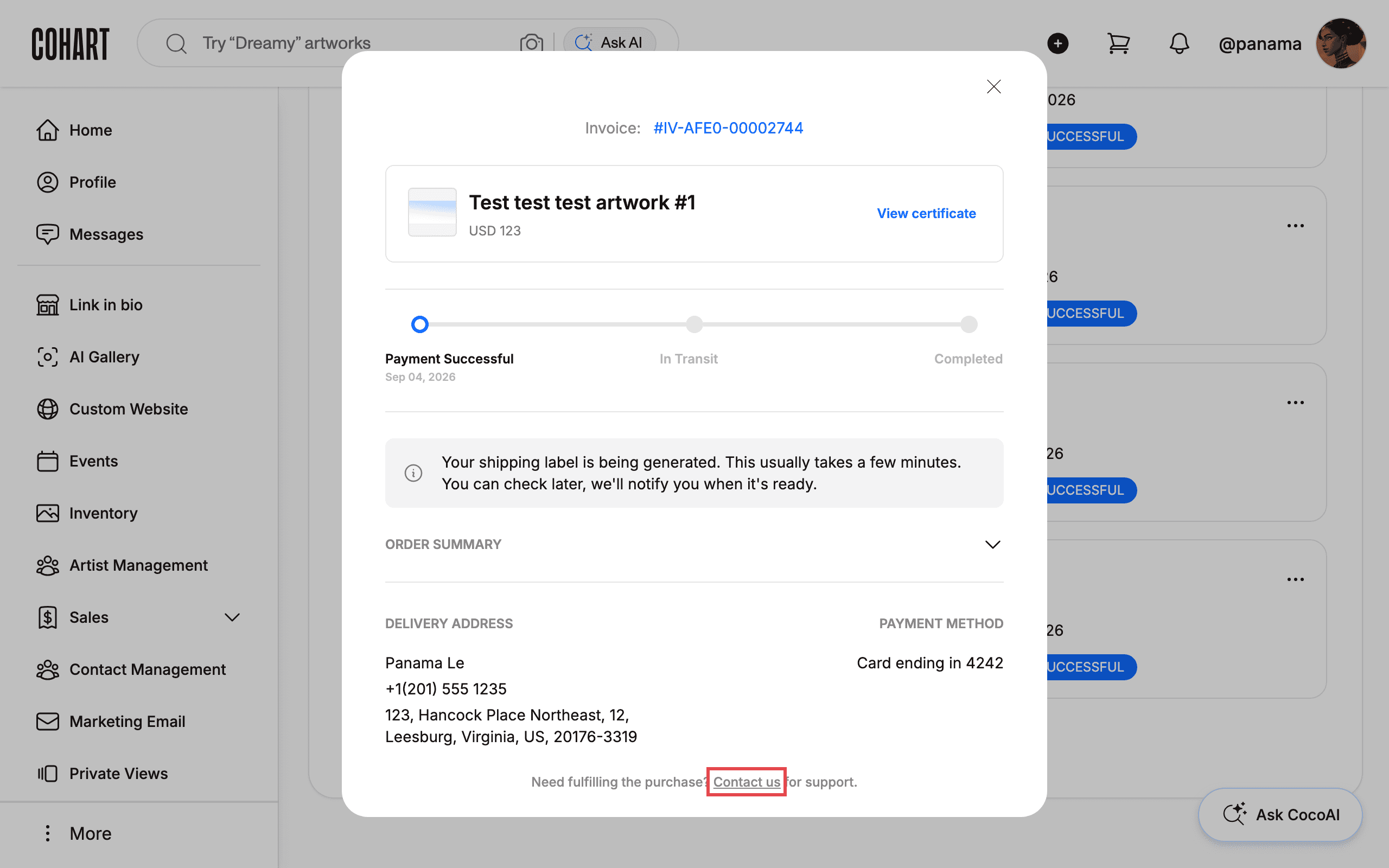
If your artwork arrives damaged or broken, notify both the seller and Cohart within 48 hours of delivery or pickup, and Cohart will facilitate the return process. Reach Cohart through the Contact us link in the order’s details, and include photos of the artwork, photos of the packaging, and a description of the damage. After the 48-hour window, contact Cohart by email; the artist may offer help with repairs or point you to a reputable restoration company.
6. Request a return or refund
You can submit a return request within 48 hours of delivery through the Contact us link in the order’s details. Return requests are reviewed case by case with the seller and need a valid reason, such as shipping damage or the artwork not matching its description. If the return is approved, you pay the return shipping to the seller, and Cohart processes your refund after the artwork has been successfully returned.
7. Get help finding an artwork
If you can’t find the artwork you want, email hello@cohart.com. Cohart’s team of art experts will work with you one on one to find an artwork you love.
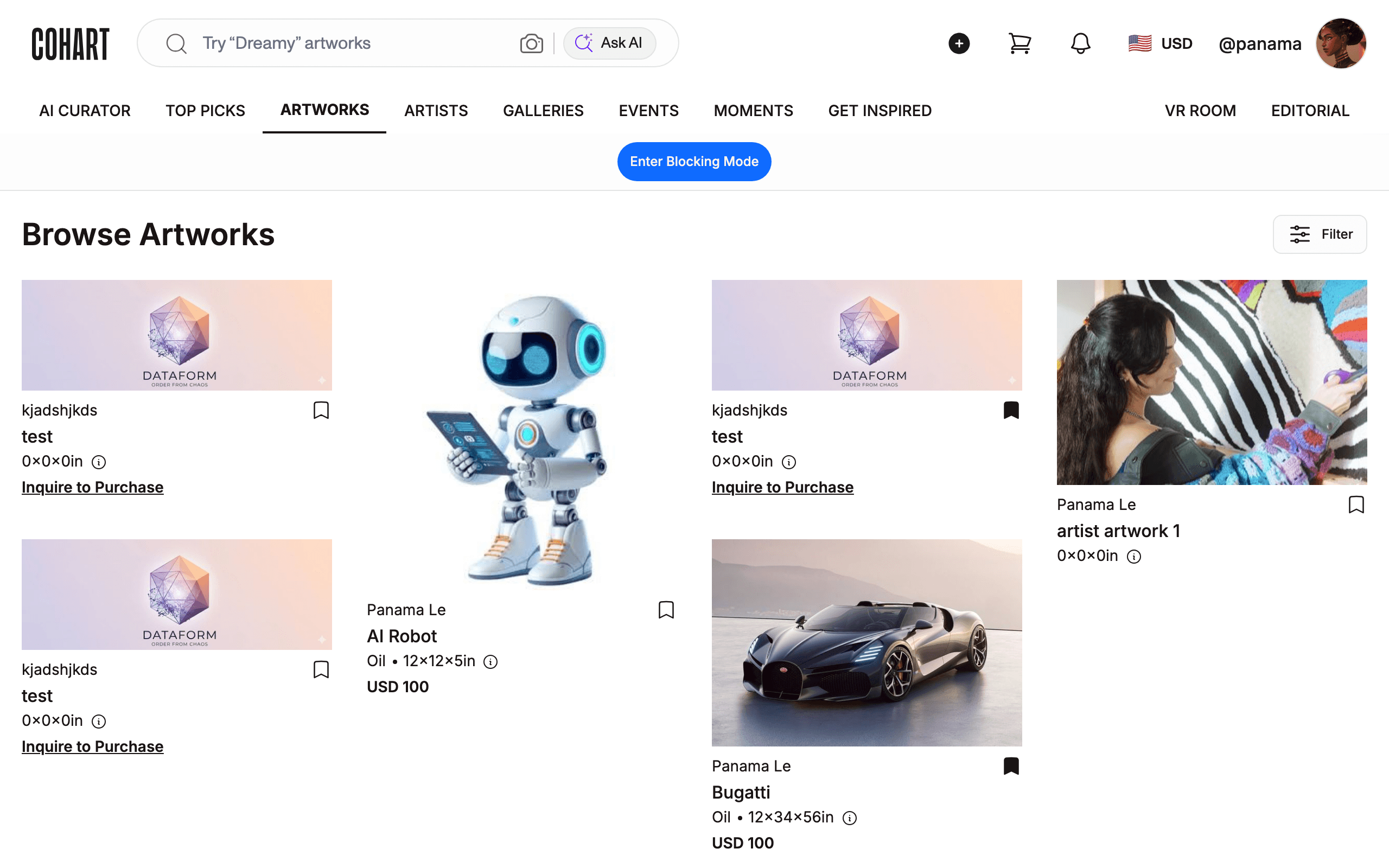
8. Get help with a missing confirmation email
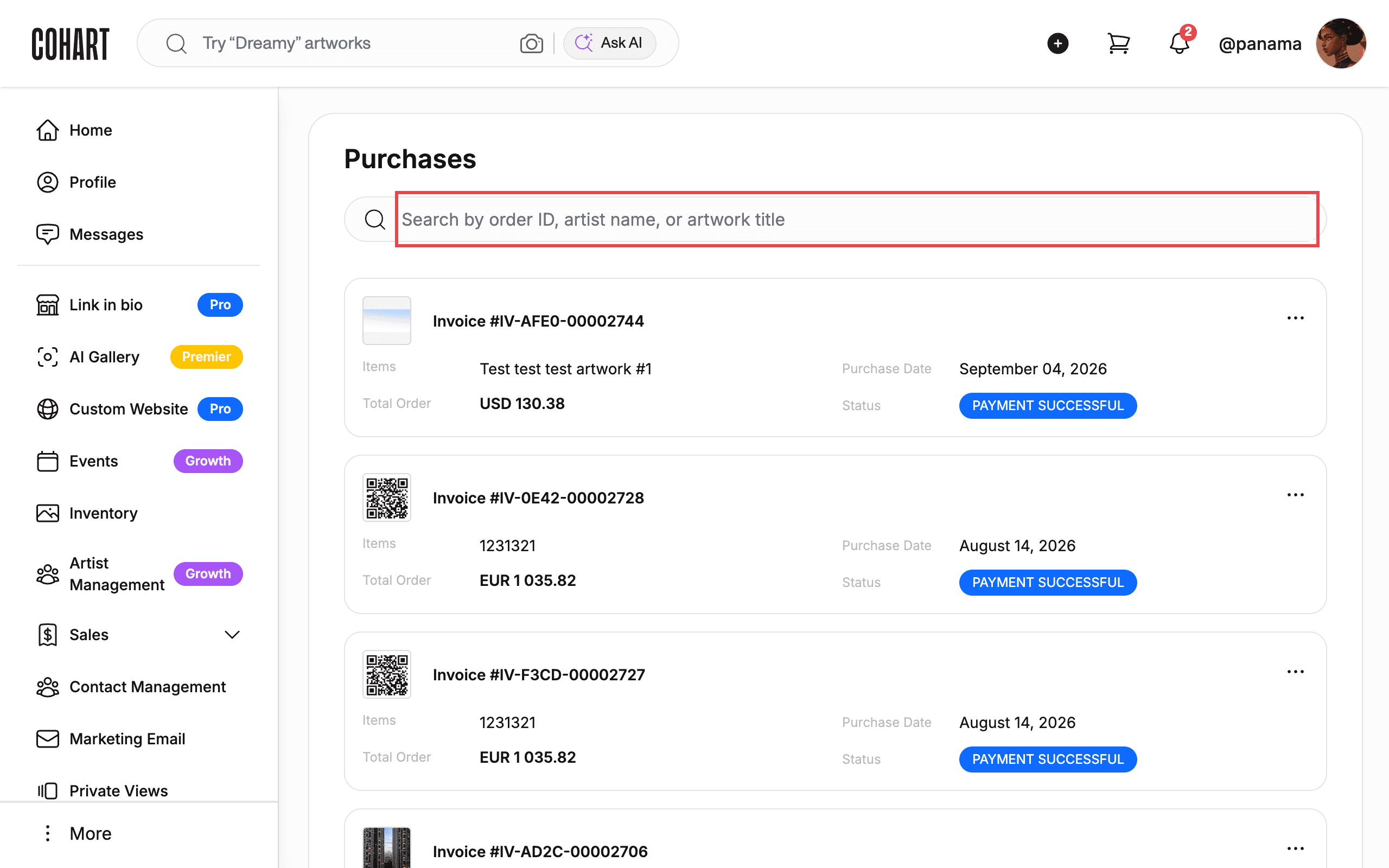
If you placed an order but didn’t receive a confirmation email, contact hello@cohart.com. If you were signed in when you bought, you can also check that the order appears on your Purchases page.
9. Find out why an order was canceled
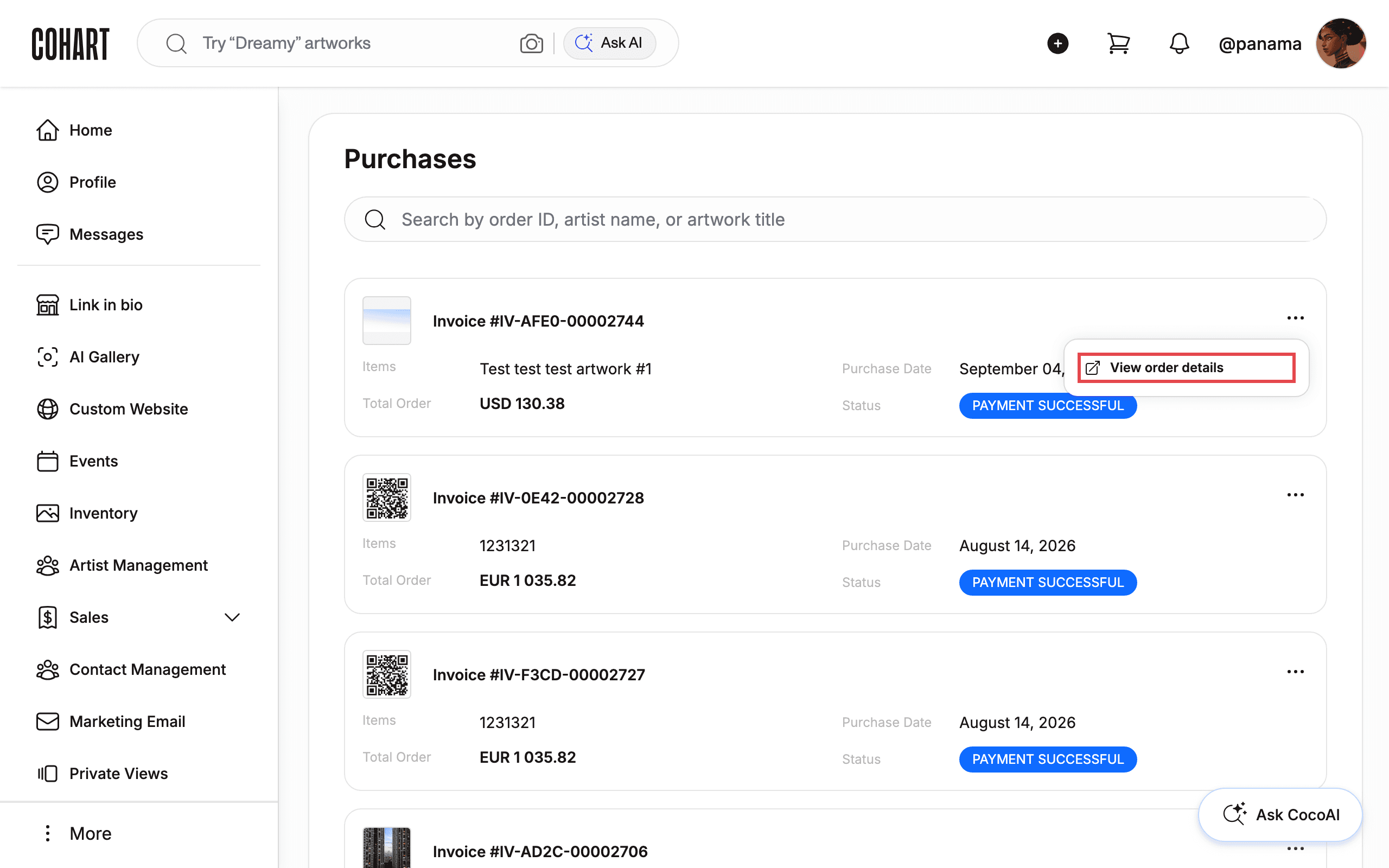
An order can be canceled for several reasons, including item availability or a payment failure. Email support@cohart.com for help and to find out why your order was canceled. If you were signed in when you bought, you can open the order from Purchases with View order details to check its status.
Tips
- Act within 48 hours. Damage reports and return requests both need to reach Cohart within 48 hours of delivery.
- Two support addresses. Use hello@cohart.com for help finding art, questions about an artwork or seller, and missing confirmation emails; use support@cohart.com for canceled orders.
Troubleshooting
- Your artwork arrived damaged more than 48 hours ago → the damage-return window has passed → email Cohart; the artist may offer help with repairs or suggest a restoration company.
- Your return request wasn’t approved → requests need a valid reason, such as shipping damage or the artwork not matching its description → contact Cohart through Contact us in the order’s details to discuss the request.
- You didn’t get a confirmation email and can’t find the order → the order may not have gone through → contact hello@cohart.com.