How to Track Your Order After a Purchase
Overview
After you complete a purchase on Cohart, your order moves through a short set of stages from payment to delivery, and you can check its progress at any time.
- Who it’s for — any buyer who has just checked out, whether through a listing, an invoice, a QR code, or an in-person event, and whether or not you created a Cohart account.
- What it covers — your order confirmation, the seller preparing your artwork, how it reaches you (shipping or local pickup), tracking the shipment, and receiving your Certificate of Authenticity.
- Where it shows up — your inbox for confirmation and shipping emails, and, if you’re signed in, your public profile’s collection and the Purchases page under More in the sidebar.
- What you end up with — a status for the order (Payment Successful, In Transit, or Completed), a tracking link once it ships, and, for eligible artwork, a certificate you can add to your phone’s wallet.
If you checked out as a guest, you won’t see the order on a Purchases page — your confirmation and shipping emails are your record instead. Signing in to a Cohart account keeps every order in one place so you can revisit it whenever you like.
Before you start
- An email address entered at checkout. Cohart sends your confirmation, shipping, and certificate emails to whatever address you used, whether or not you created an account.
- A Cohart account, if you want to track orders on the site. Guest buyers only get email updates; signed-in buyers also see each order on the Purchases page.
Steps
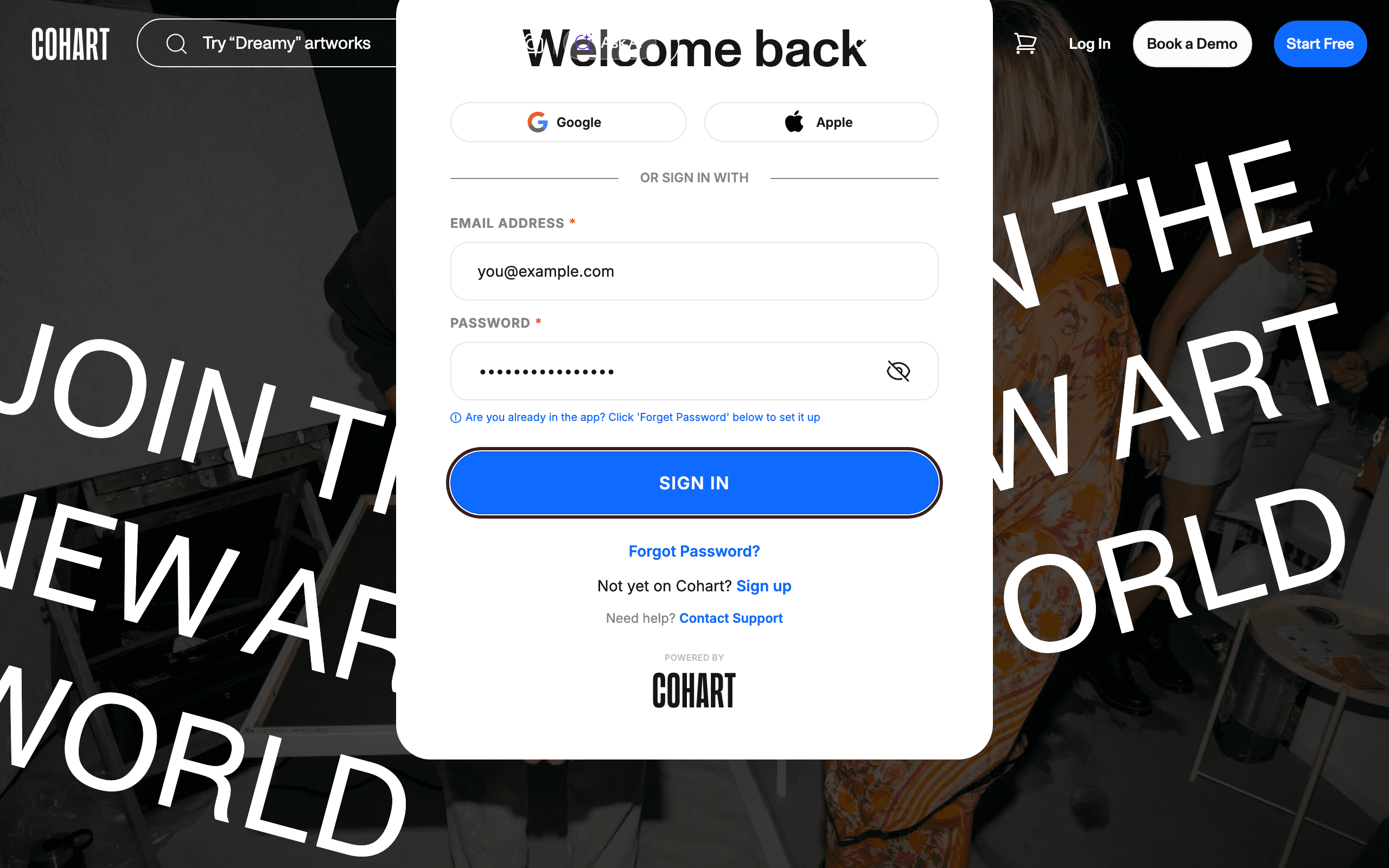
1. Sign in to your account
Go to the login page and sign in with your email and password, or use Google or Apple. If you checked out as a guest, skip to your confirmation email instead — there’s no account to sign in to.
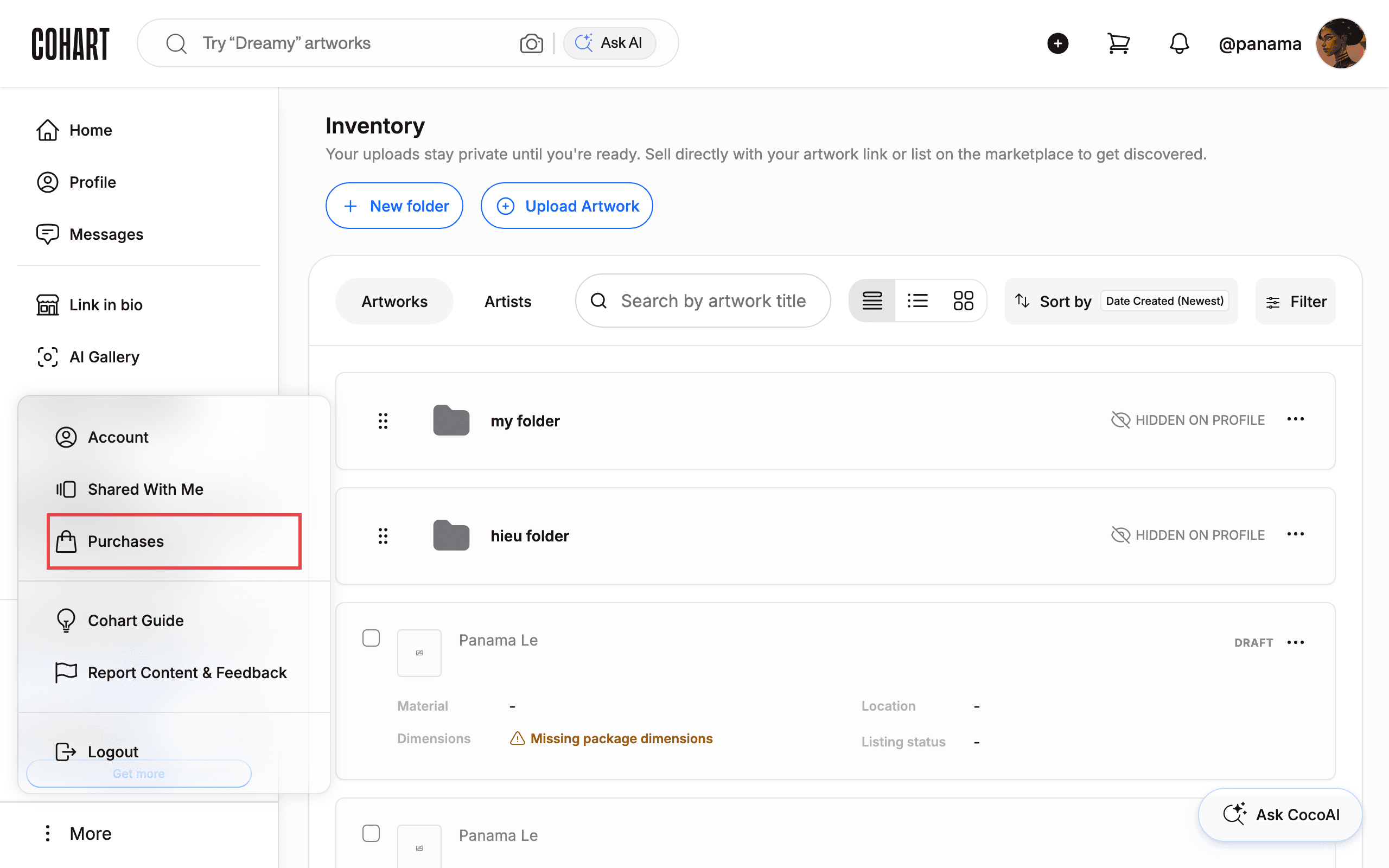
2. Open Purchases from the More menu
Once you’re signed in, click More in the sidebar, then choose Purchases.
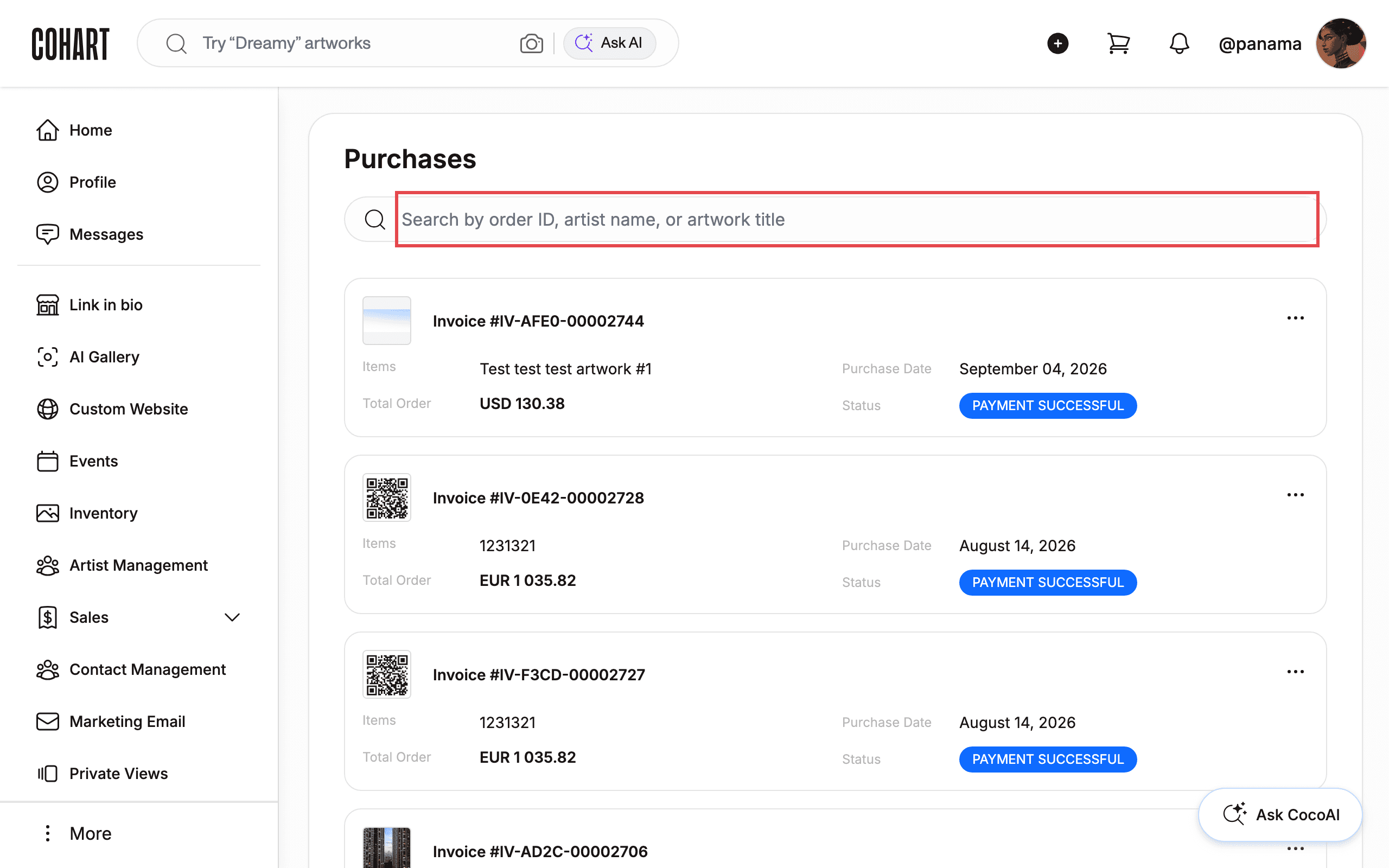
3. Find your order in the list
The Purchases page lists every order tied to your account as a card showing the invoice number, artwork, price, and status.
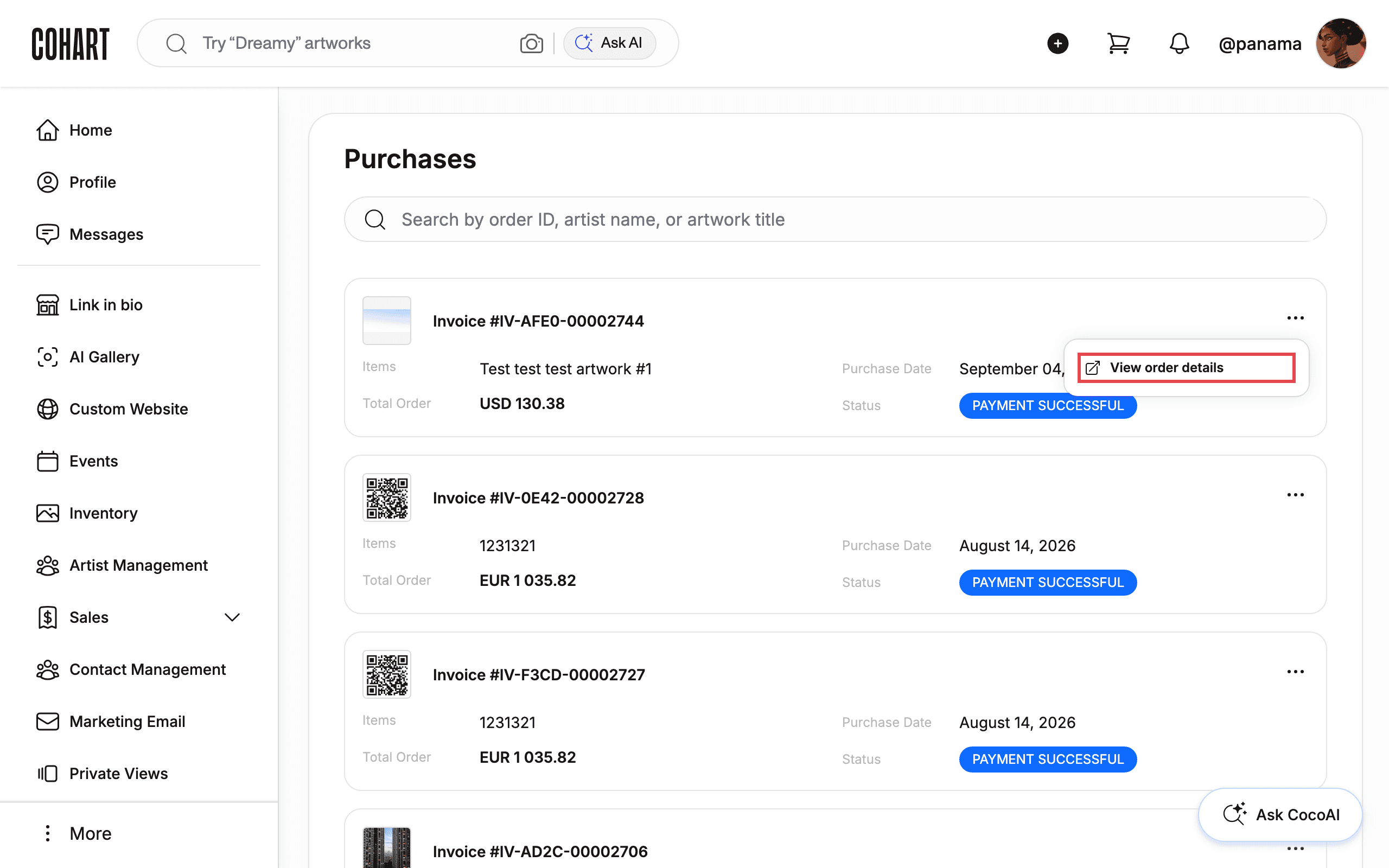
4. Open the order’s details
Click the ··· menu on an order card, then choose View order details.
5. Check the status tracker and tracking link
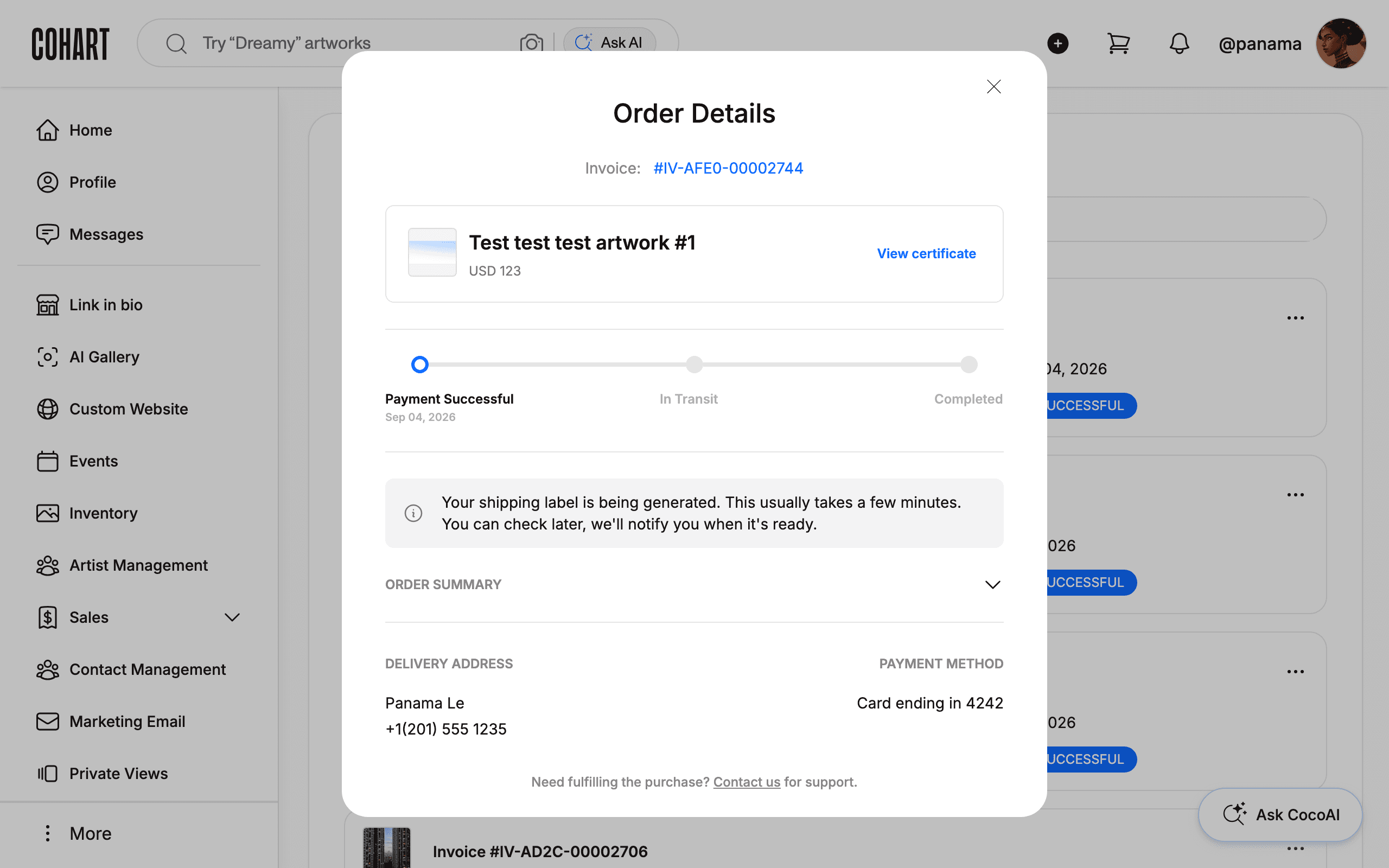
Order Details shows a status tracker that moves through Payment Successful, In Transit, and Completed. While your shipping label is still being generated, the tracker shows a note that this usually takes a few minutes and that you’ll be notified when it’s ready. Once your order’s status reaches In Transit, a Tracking: link with the carrier’s tracking number appears next to the Invoice number at the top of Order Details — click it to open the carrier’s tracking page; updates from that point on come from the carrier, not from Cohart.
6. Review the delivery address and payment method
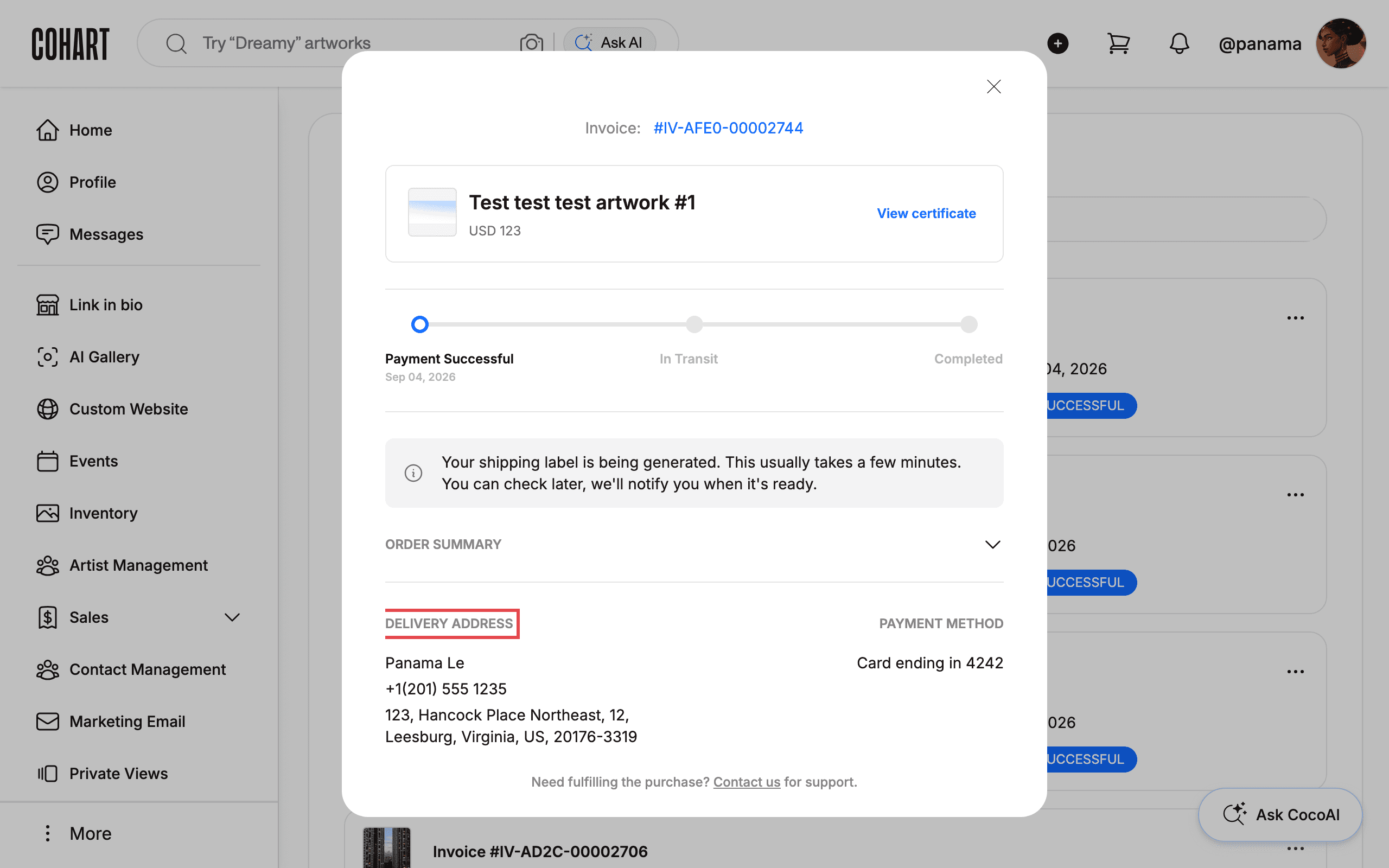
Below the status tracker, ORDER SUMMARY breaks down the price, and DELIVERY ADDRESS and PAYMENT METHOD show where the artwork is going and how you paid. For a local pickup order, this area reads Pick Up / Ship by seller instead of a shipping address — coordinate the pickup time directly with the seller.
7. Get your Certificate of Authenticity
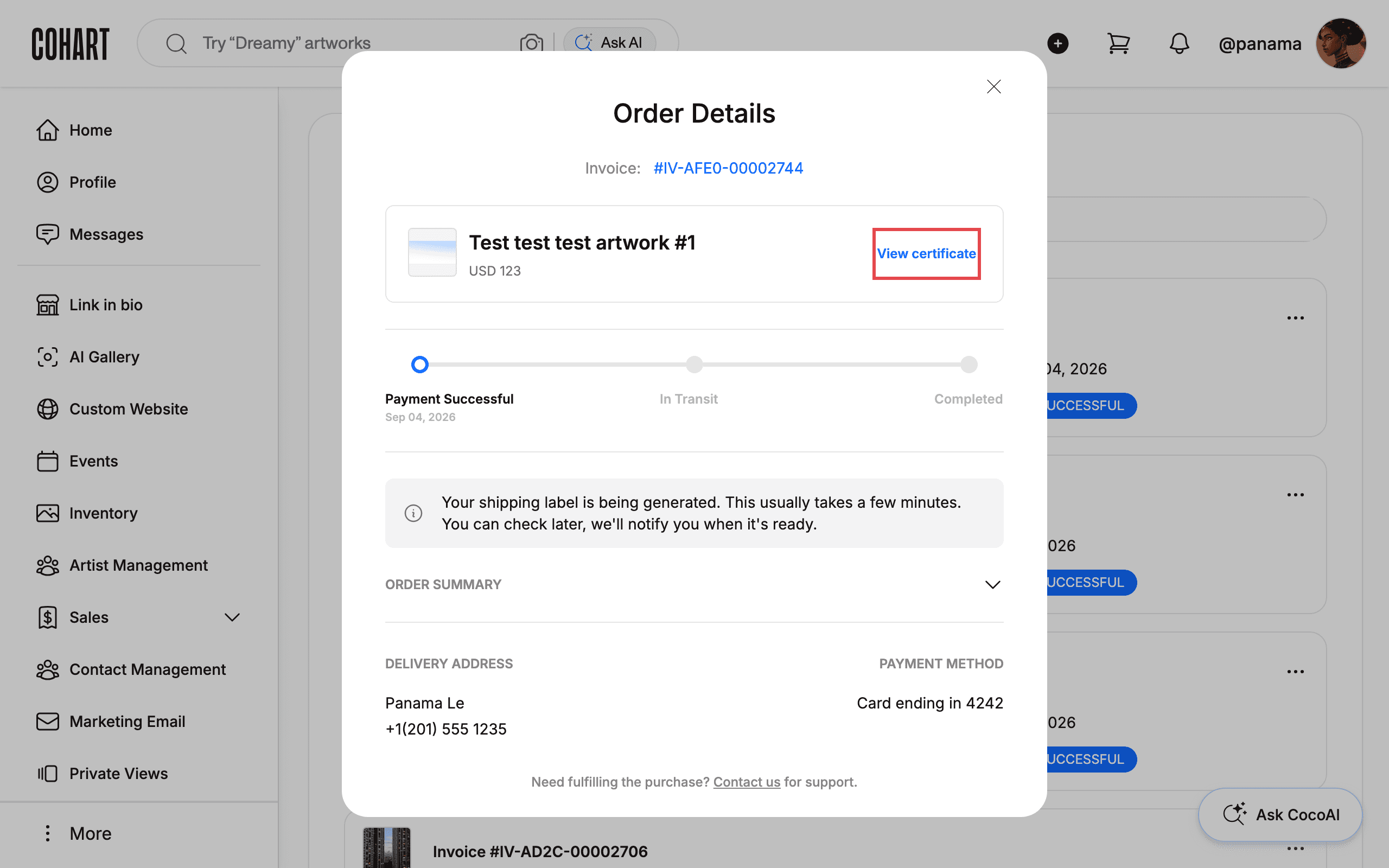
For eligible purchases, a View certificate button appears on Order Details, and Cohart also emails you the certificate. You can add it to Apple Wallet or Google Wallet — see How to View Purchases and Certificates of Authenticity for the full walkthrough. If you have a question about the order, use the Contact us link at the bottom of Order Details, which opens an email to Cohart support pre-filled with your order number.
Tips
- No account needed to buy. You can check out as a guest without creating a Cohart account; you’ll still get every email update.
- Keep your confirmation and shipping emails. They’re your record of the order and, for guests, the only way to find it again.
- How your artwork reaches you depends on the delivery method you chose at checkout. With Ship by Cohart, the seller prints a shipping label through Cohart, packs the artwork, and hands it to the carrier — you get the tracking number by email once it’s on its way. With Pick Up / Ship by seller, the seller either ships it themselves and sends you tracking when it’s available, or arranges a pickup time with you directly.
- Questions about your order, shipping, pickup, or delivery? Email the Cohart team at support@cohart.com, or use Contact us on Order Details (it opens an email to support@cohart.com).
- Custom crating adds time. Some artwork needs extra packing before it ships, so preparation and shipping times vary by seller and piece.
- International orders may include customs fees. These are set by the destination country and are separate from the artwork price and shipping fee.
- Purchases can appear on your profile. A bought artwork can show in your public collection unless you choose to hide it; use the artwork’s visibility setting if you’d rather keep it private.
Troubleshooting
- Your purchase doesn’t appear under Purchases → you checked out as a guest, or you’re signed in to a different account than the one used at checkout → sign in with the matching account, or check your confirmation email instead.
- There’s no Tracking: link on Order Details yet → the order is still at Payment Successful and hasn’t shipped → wait for the shipping confirmation email, or check back once the status moves to In Transit.
- Your artwork arrives damaged → notify both the seller and Contact us within 48 hours of delivery or pickup, including photos of the artwork, photos of the packaging, and a description of the damage. Cohart works with you and the seller on next steps, such as a repair or a restoration referral. Outside the 48-hour window, contact Cohart by email — the seller may still be able to help.
- You want to cancel an order → there’s no self-serve cancel option in Order Details, so contact the seller or Contact us as soon as possible; orders generally can’t be cancelled once they’ve shipped or been collected.
- You’re not sure who pays what → buyers pay the artwork price, any shipping fee, sales tax where it applies, and customs fees or duties set by the destination country; sellers pay payment-processing fees according to their Cohart plan.