How to Check Your Selling Fees on Cohart
Overview
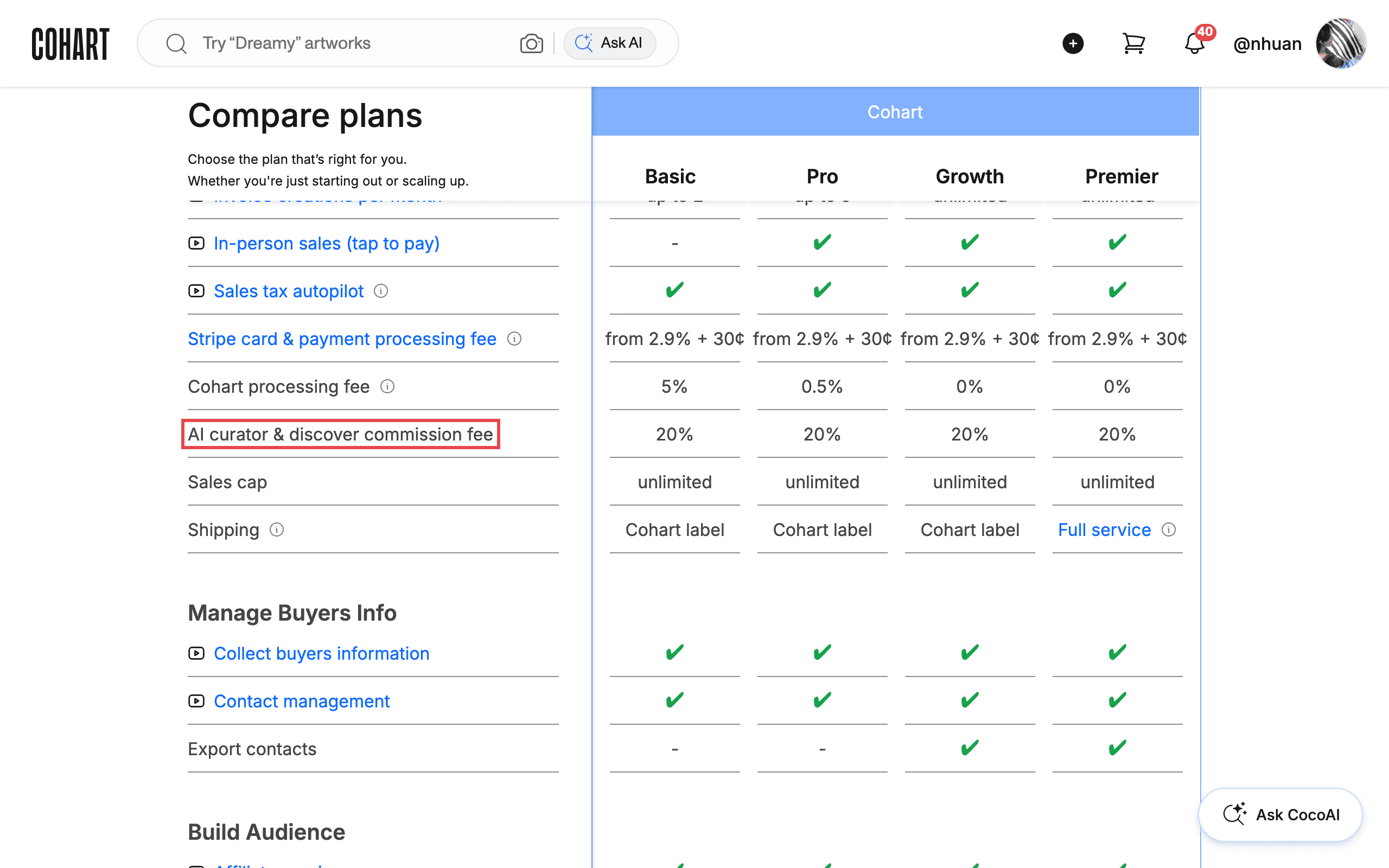
Every sale on Cohart can carry up to three fees: Stripe’s card processing fee, the Cohart processing fee, and — for sales that come through CocoAI Curator or Discover — the AI curator & discover commission. The pricing page lists all three for every plan, so you can see what a sale costs on your plan and what a higher plan would save you.
- Who it’s for — artists and galleries selling artwork on Cohart.
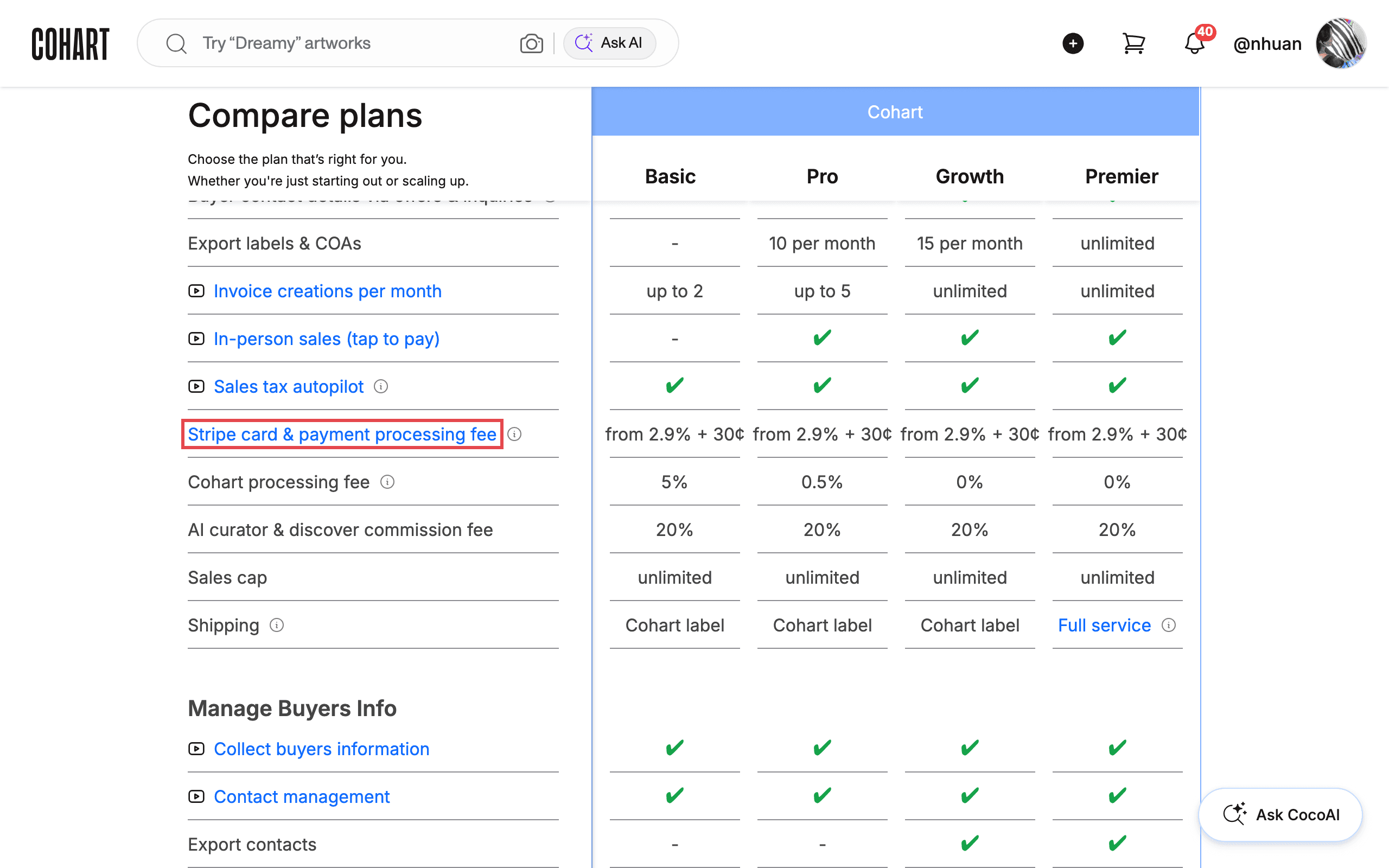
- Stripe card & payment processing fee — from 2.9% + 30¢ per successful card payment, on every plan. Stripe collects this fee for processing the payment; Cohart does not take any portion of it.
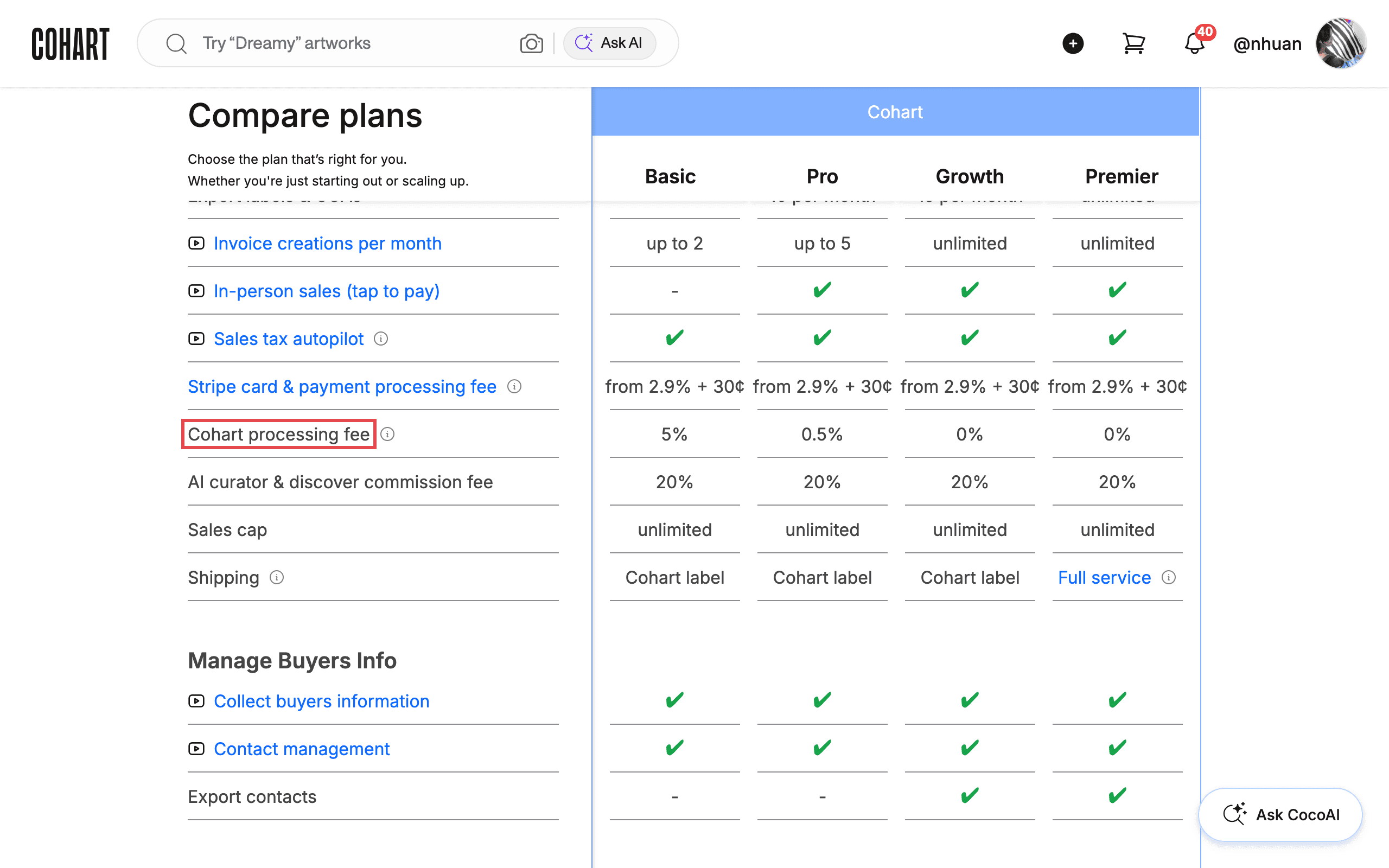
- Cohart processing fee — depends on your plan: Basic 5%, Pro 0.5%, Growth 0%, Premier 0%. The Basic plan is the Free plan.
- AI curator & discover commission fee — 20% on every plan, charged on sales that come to you through CocoAI Curator or Discover.
- What you end up with — your plan’s fees for a sale, compared with every other plan.
Before you start
- A signed-in artist or gallery account. Manage Your Plan shows which plan you are on; the pricing page itself is public.
- Stripe’s fee is Stripe’s, not Cohart’s. It is the same on every Cohart plan, and upgrading does not change it. Some payments cost more with Stripe — for example, international cards or currency conversion — see Stripe pricing .
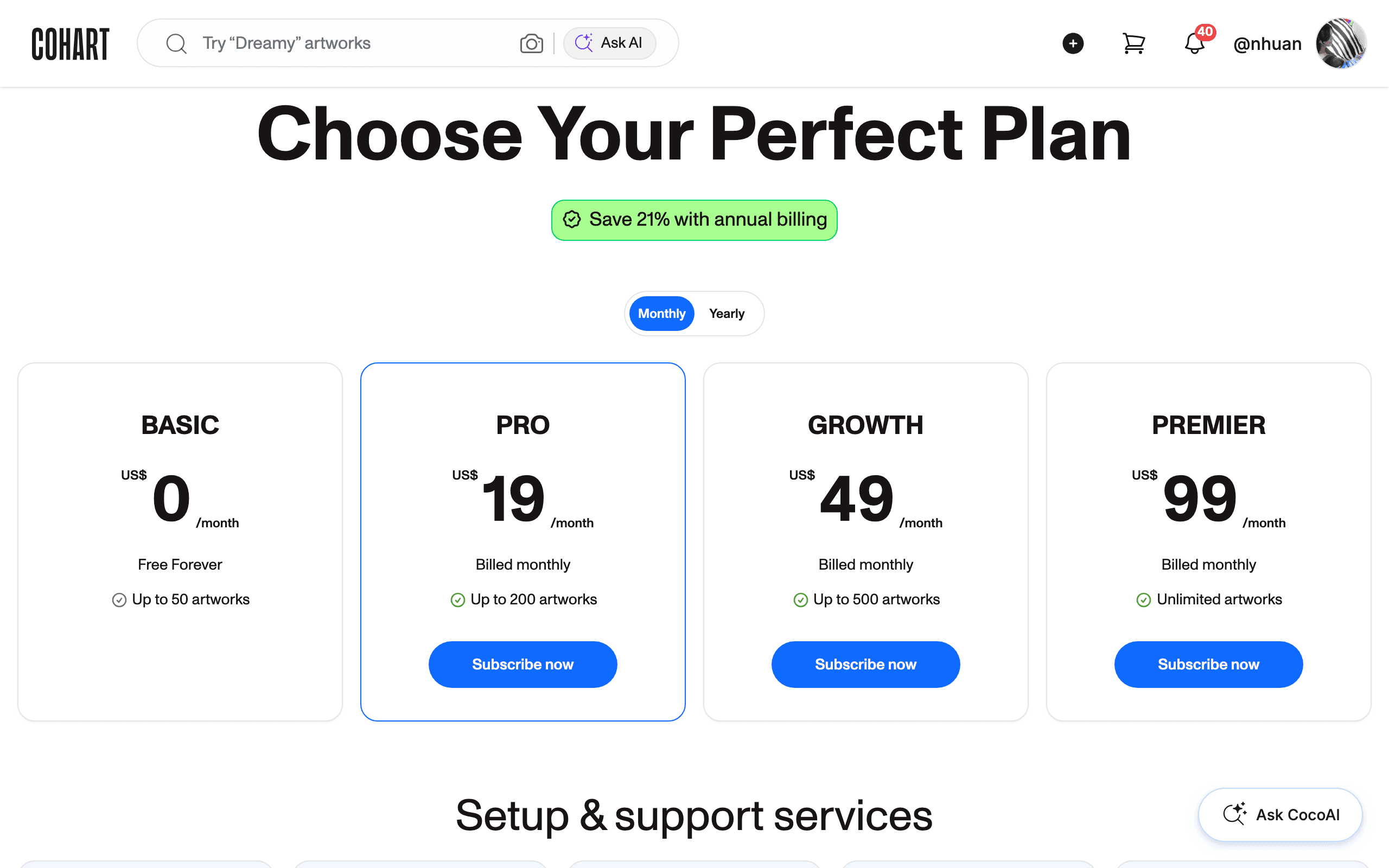
Plan comparison (monthly price · Cohart processing fee): Basic (Free) $0 · 5% — Pro $19/month · 0.5% — Growth $49/month · 0% — Premier $99/month · 0%. Every plan also pays Stripe’s fee (from 2.9% + 30¢) and the 20% AI curator & discover commission on sales that come through CocoAI Curator or Discover. Yearly billing saves up to 21%.
Steps
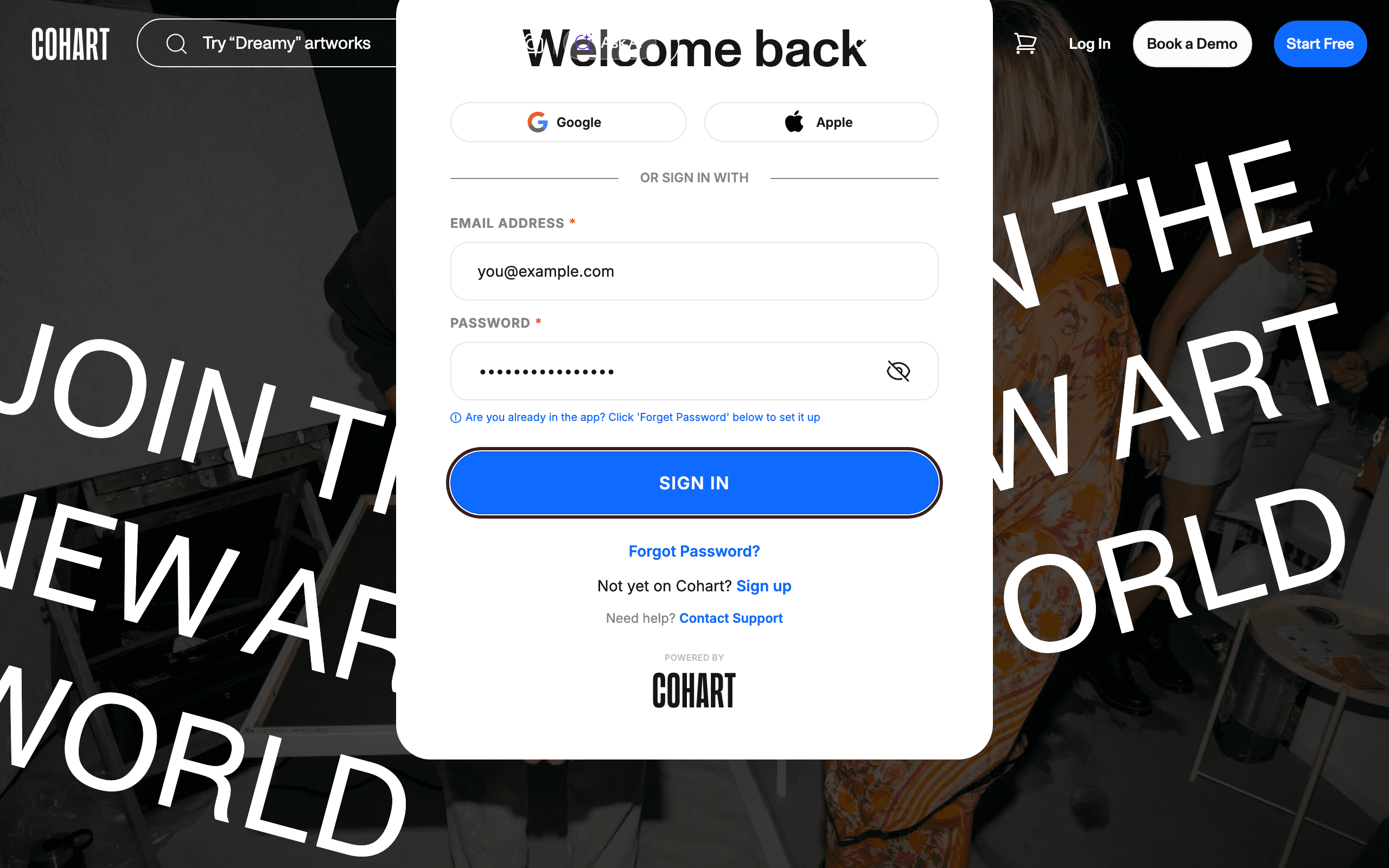
1. Sign in to Cohart
Sign in with your email address and password, or use Google or Apple.
2. Open the pricing page
Open cohart.com/pricing , or click See all plans here on Manage Your Plan. Choose Your Perfect Plan shows the four plans — Basic, Pro, Growth, and Premier — with their monthly prices. Scroll down to the Compare plans table for the fees.
3. Check the Stripe card & payment processing fee
In Compare plans, find the Stripe card & payment processing fee row. It reads from 2.9% + 30¢ on every plan. Stripe collects this fee for processing the card payment — Cohart does not take any portion of it.
4. Check the Cohart processing fee for your plan
Find the Cohart processing fee row and read the value under your plan: Basic 5%, Pro 0.5%, Growth 0%, Premier 0%. Growth and Premier sellers pay no Cohart processing fee.
5. Check the AI curator & discover commission fee
Find the AI curator & discover commission fee row. It is 20% on every plan, charged on sales that come to you through CocoAI Curator or Discover.
6. Check your current plan and upgrade
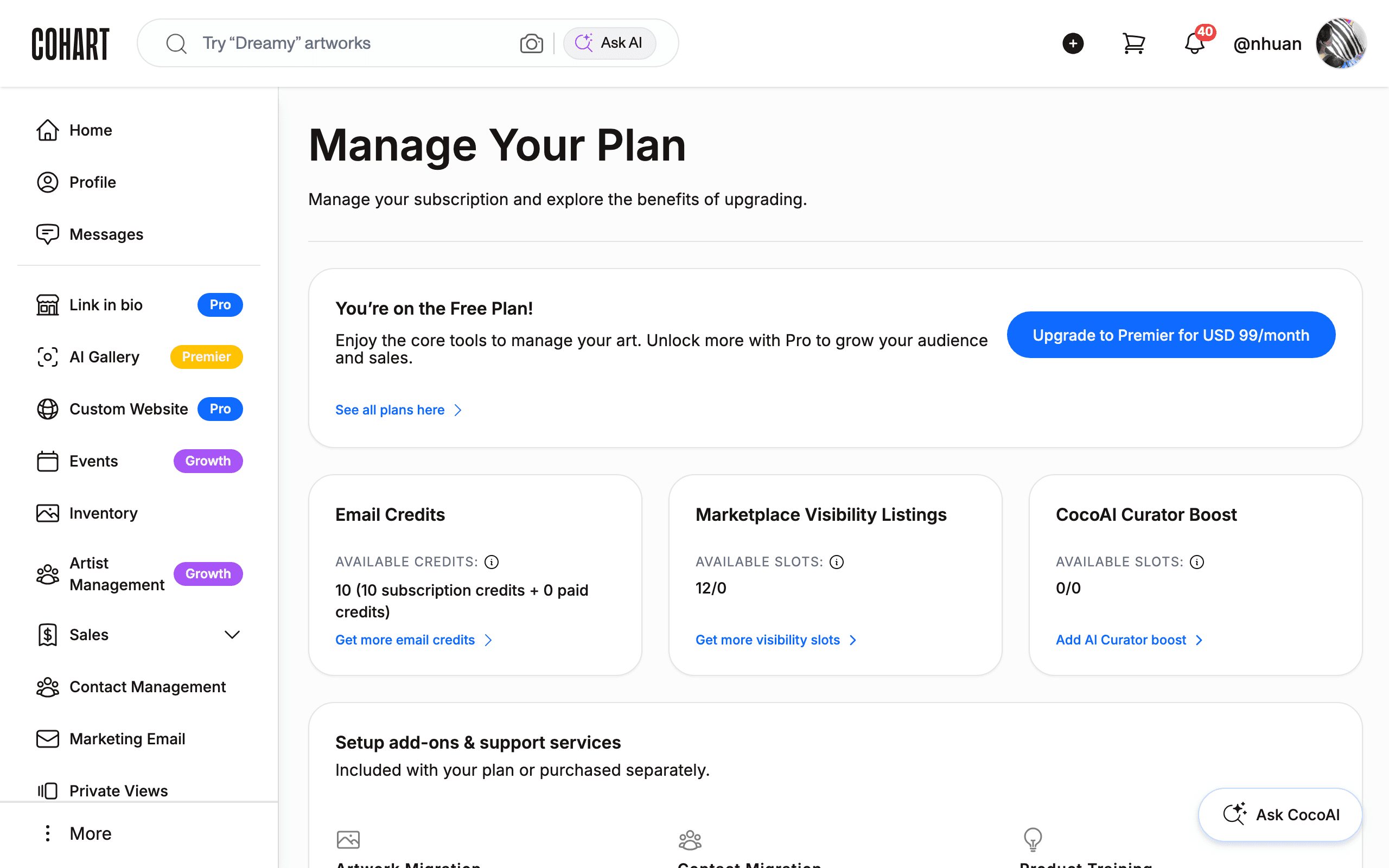
Open Manage Plan in the left sidebar. The top card names your plan (for example, You’re on the Free Plan!). To lower your Cohart processing fee, click the upgrade button on that card or See all plans here to choose a higher plan.
Tips
- Worked example. A $1,000 artwork sold with a domestic card through your own storefront costs $29.30 in Stripe fees (2.9% + 30¢) on every plan, plus a Cohart processing fee of $50 on Basic, $5 on Pro, and $0 on Growth or Premier.
- Upgrading lowers only the Cohart processing fee. Stripe’s fee and the 20% AI curator & discover commission are the same on every plan.
- Break-even example. Above about $423 in monthly sales, Pro ($19/month + 0.5%) costs less than Basic’s 5% Cohart processing fee.
- Optional add-ons are separate. CocoAI Curator Boost ($1 per artwork per month) and Marketplace visibility listings ($0.05 per artwork per month) are listed on the pricing page.
Troubleshooting
- A payout is lower than the sale price minus the Cohart fee → Stripe’s processing fee is also deducted, and it can be higher than 2.9% + 30¢ for international cards or currency conversion → check Stripe pricing , or contact support@cohart.com about a specific payout.
- A sale was charged the 20% commission → the buyer came to the artwork through CocoAI Curator or Discover → this commission applies on every plan; contact support@cohart.com if you believe the sale came from your own storefront.
- You don’t see Manage Plan → you may be signed in to a collector account → sign in with your artist or gallery account.