How to Log In to Cohart
You can sign in to Cohart with your Google account, your Apple account, or your email address and password.
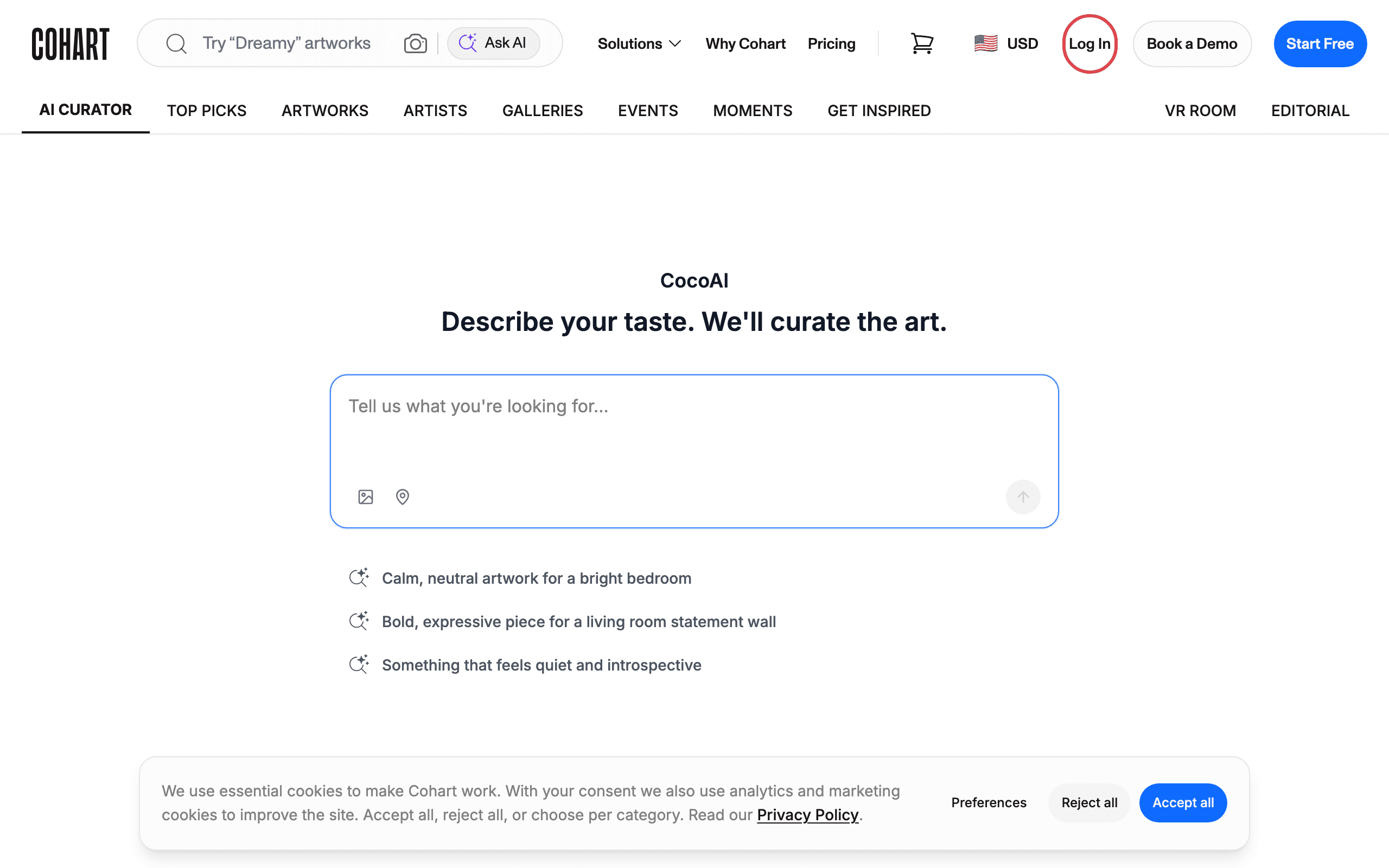
Step 1 — Open cohart.com and click “Log In”
Go to cohart.com . In the top-right corner of the page, click Log In.
Step 2 — Choose how you want to sign in
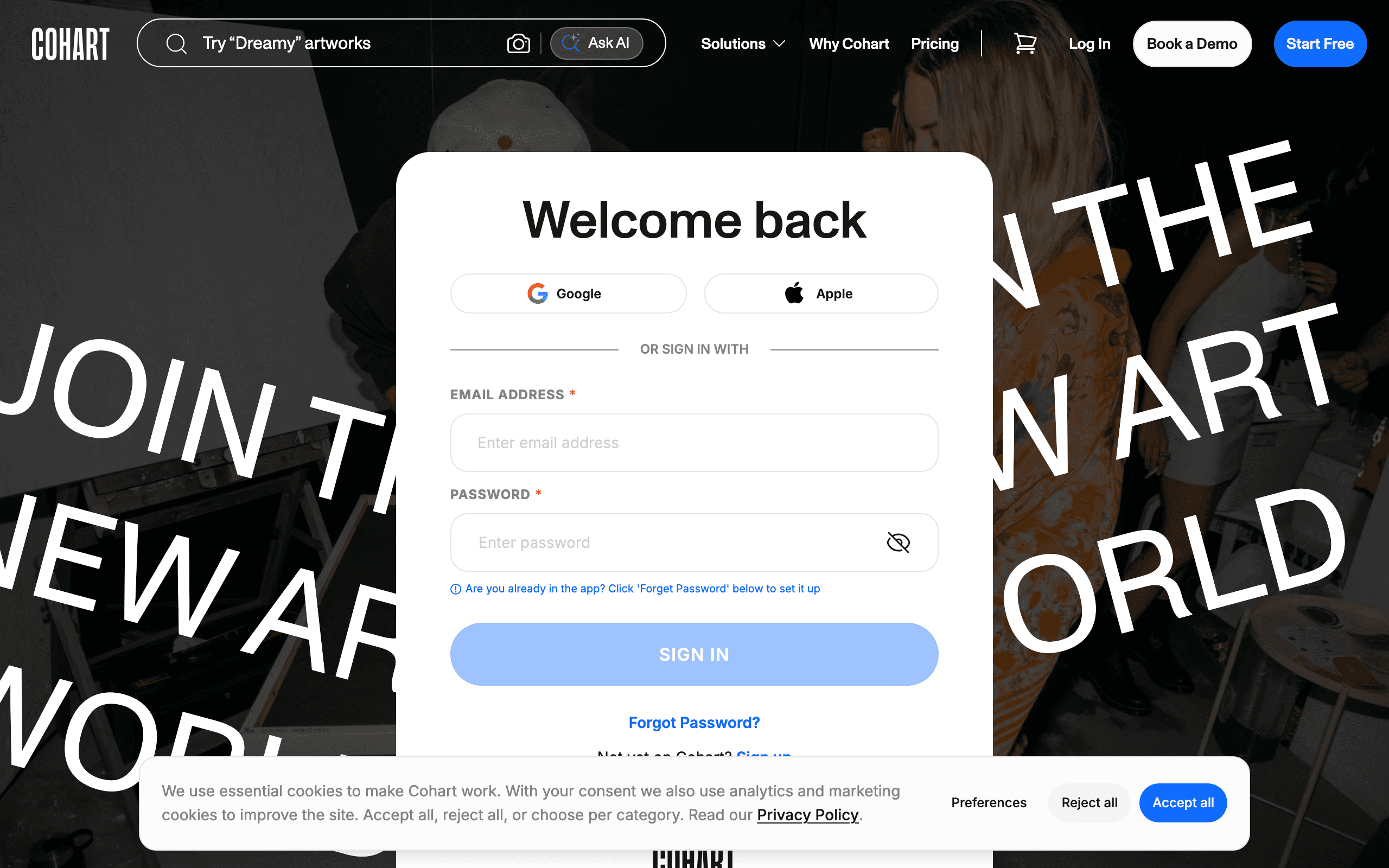
The Welcome back page gives you three ways to sign in:
- Google — click the Google button and choose your Google account.
- Apple — click the Apple button and follow the prompts.
- Email and password — continue with Step 3 below.
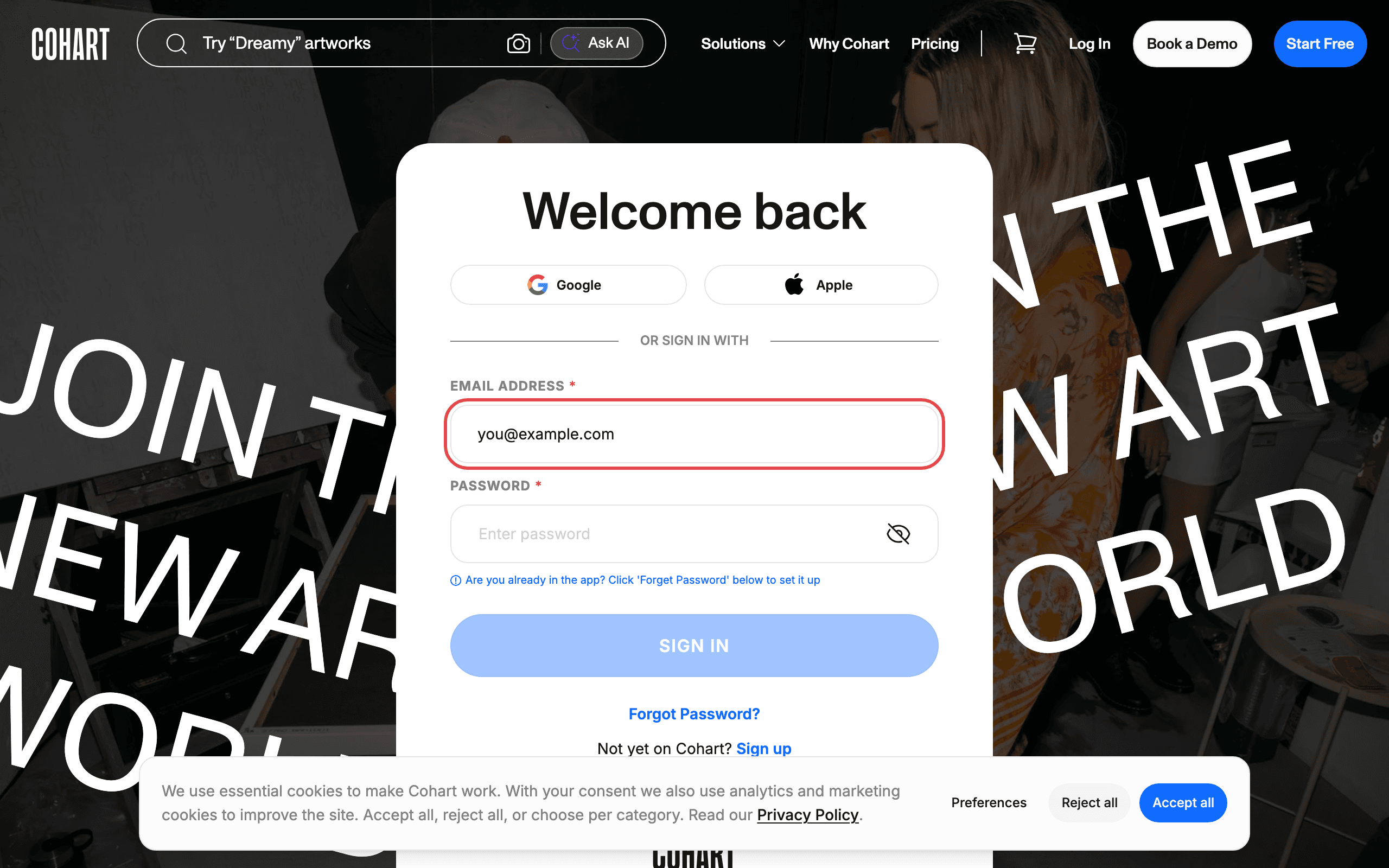
Step 3 — Sign in with your email
- Enter your email address.
- Enter your password.
- Click SIGN IN.
Tip: If you already use the Cohart mobile app but have never set a password for the website, click Forgot Password? to set one up.
Trouble logging in?
- Forgot your password? Click Forgot Password? on the login page to reset it.
- Don’t have an account yet? Click Sign up below the SIGN IN button.
- Still stuck? Reach out via Contact Support.
This article’s screenshots are regenerated automatically from the live site. Last captured: 2026-08-06.